Inbound Stock Post
The inbound stock post covers all processes that follow the warehouse receipt and include the physical inbound stock posting of load carriers into storage areas as well as internal transport movements.
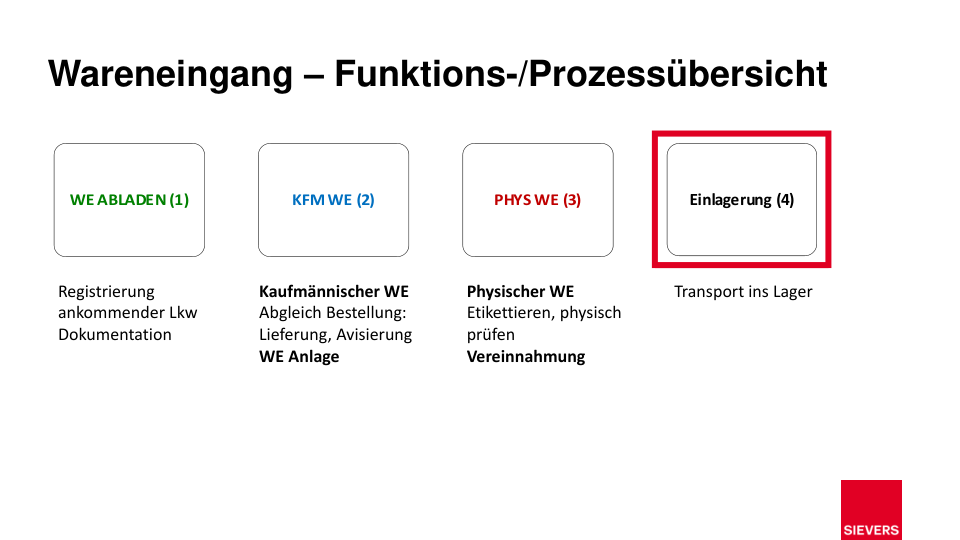
Inbound Stock Post in SIEVERS WMS
In SIEVERS WMS, the inbound stock post is controlled via Inbound Stock Posts and move jobs. The MDE menu A2 Internal Transports is the central starting point for all mobile inbound storage and transport operations. The Inbound Stock Post Strategy automatically determines the target places for load carriers.
With the one-step inbound stock post, items are transported directly from the warehouse receipt place to the target storage place. With the two-step variant, items are first moved to a reserve or picking place and only then to the actual target place.
Process Variants
Depending on the infrastructure (WLAN, MDE) and the type of movement, various variants are available:
| Variant | Description | When to use? |
|---|---|---|
| Inbound Stock Post with Move Job List | Paper-based inbound stock posting with manual response in the BC client | Warehouses without WLAN or MDE, external warehouses |
| Inbound Stock Post Mobile | Paperless inbound stock posting process directly at the MDE device | Warehouses with WLAN and MDE equipment |
| Internal Transports | Movement of complete load carriers between storage places | Replenishment, transfers, shipping preparation |
| SSCC Internal Transports | SSCC-supported transports to the shipping buffer place | When items are collected on shipping places by shipping agent/date |
| Transfer | Targeted relocation between storage places with optional SSCC use | Inventory optimization, shipping preparation |
Tipp
In warehouses with WLAN coverage, mobile inbound stock posting via A2 Internal Transports is the most efficient variant. For external warehouses or areas without WLAN, the move job list variant is recommended.