Automatic Picking Release
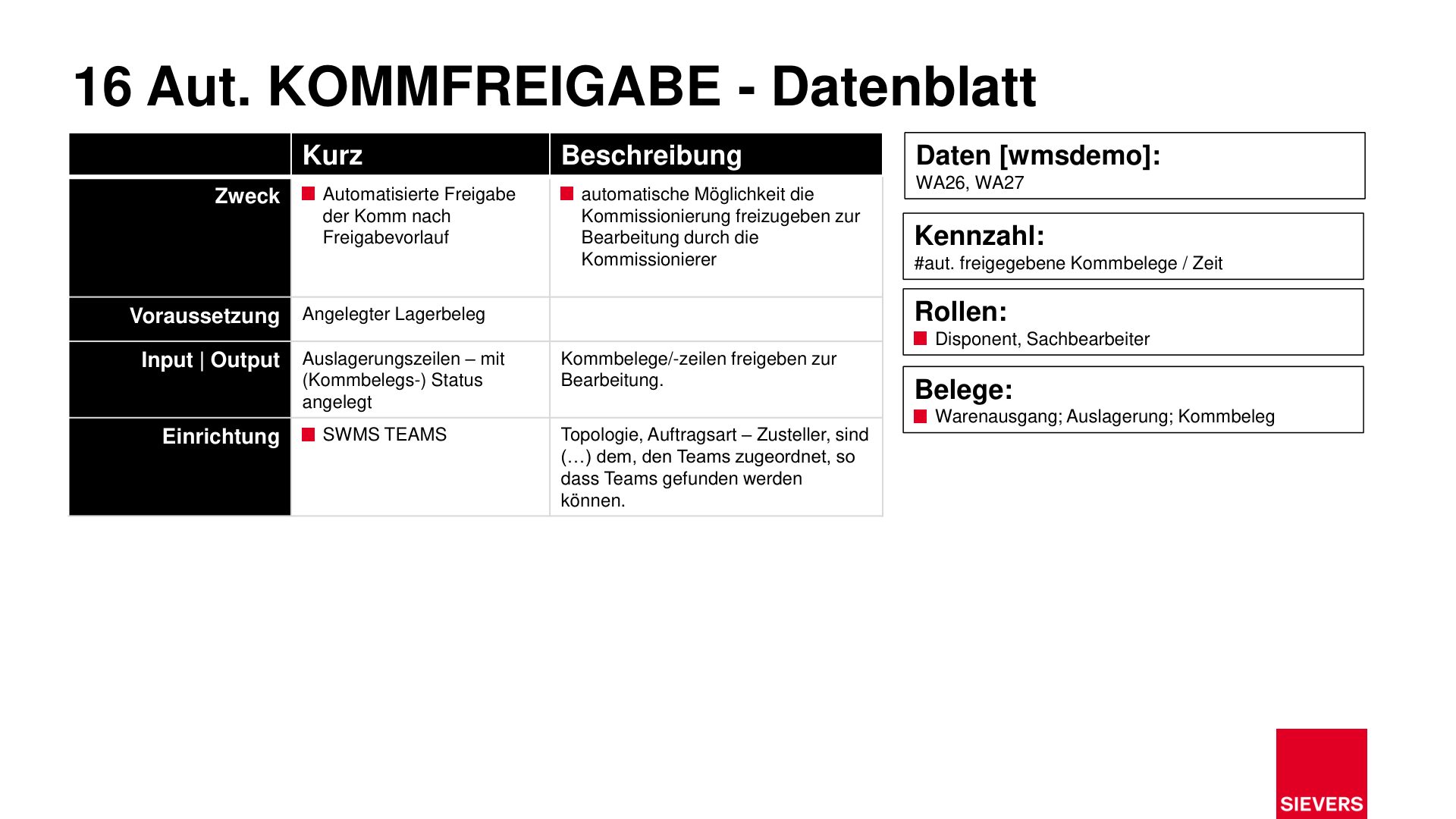
Automatic picking release releases picking documents for processing according to a configured release lead time. It reduces manual effort and accelerates the warehouse shipment process.
For setup details, see Automations – Automatic Picking Documents.
Purpose
- Automatically release picking documents based on a defined lead time
- Reduce manual intervention and speed up the process
Prerequisites
- Warehouse document (outbound stock post) created
- SWMS Teams configured with a release lead time
- Optional job queue with Codeunit 70294228 (AppSource/SaaS/OnPrem) or 77228 (PTE)
Operation
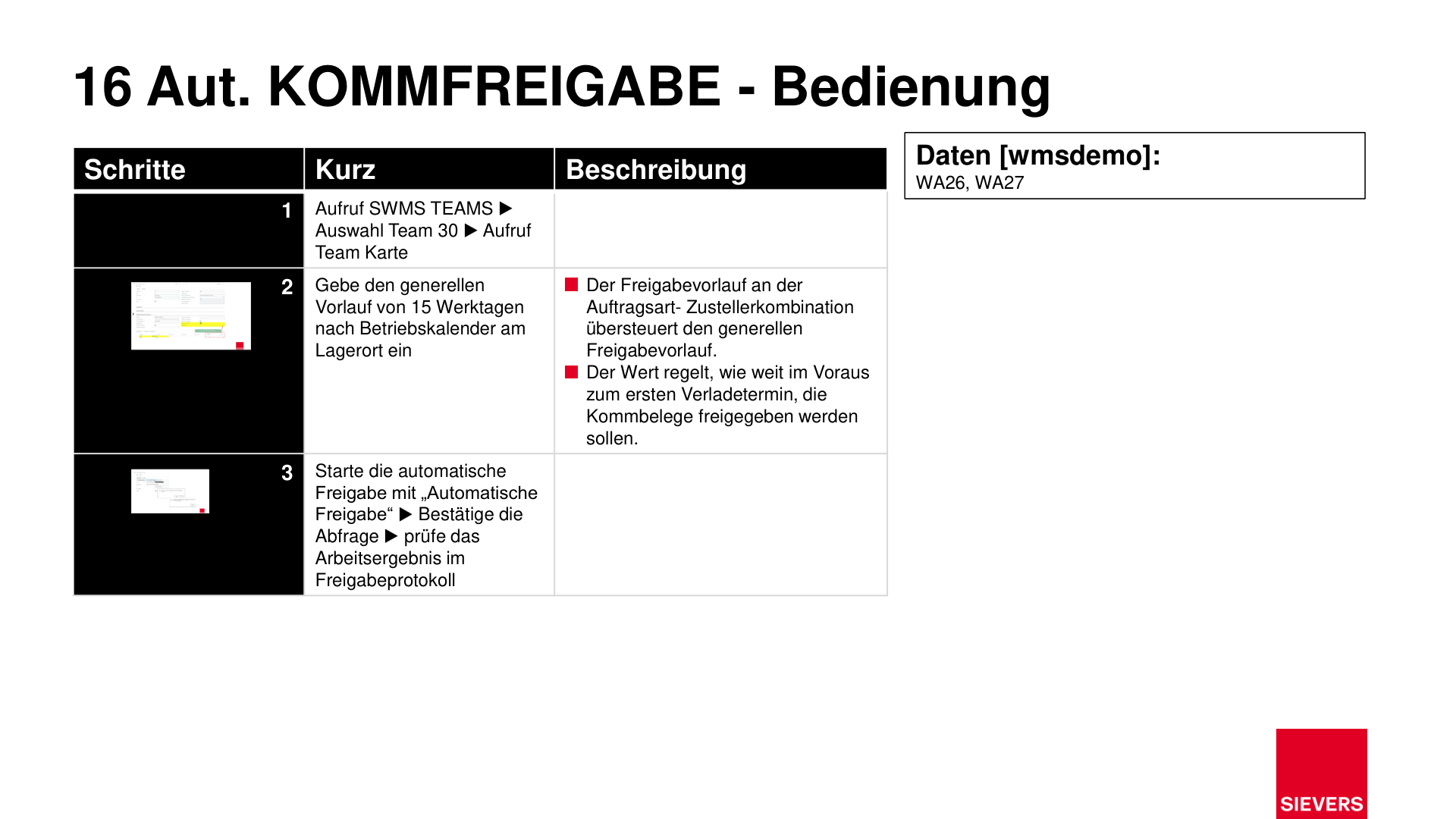
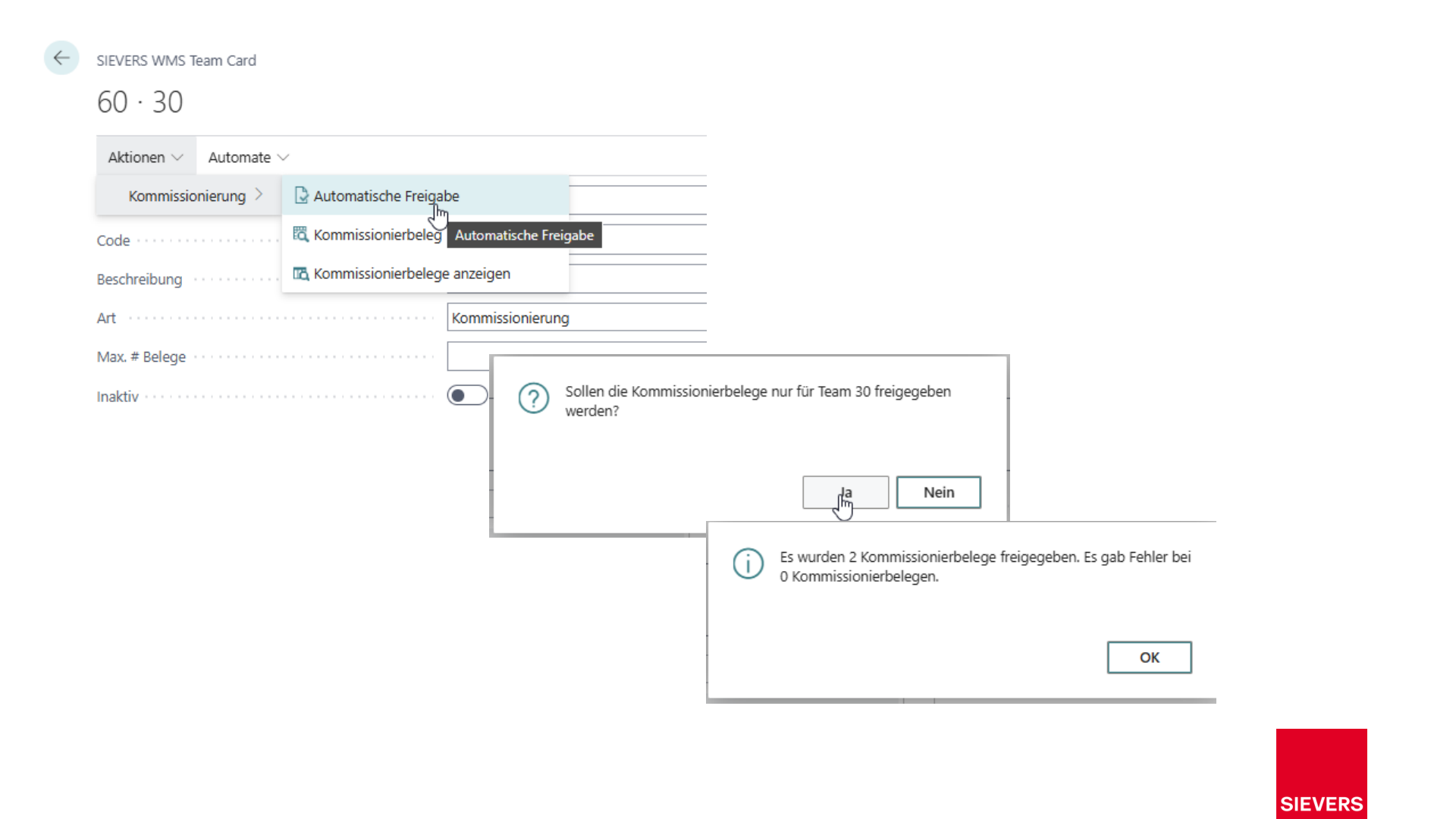
1. Open the SWMS Team
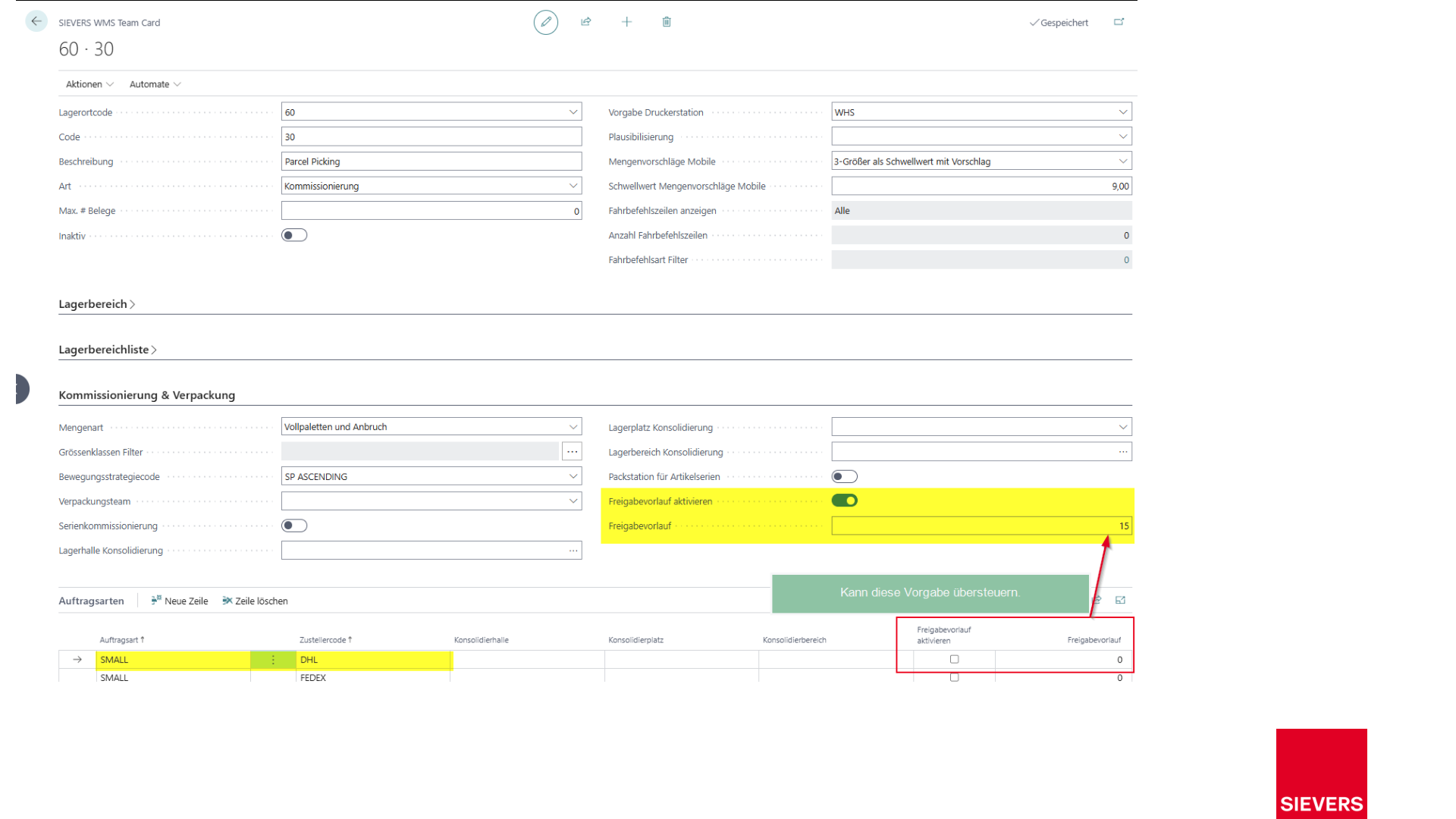
Open the responsible team in SWMS Teams and navigate to the team card.
2. Define the release lead time
Set the general release lead time (e.g. 15 working days before the loading date, based on the location business calendar). The lead time in order types always takes priority and overrides the general lead time.
3. Start the automatic release
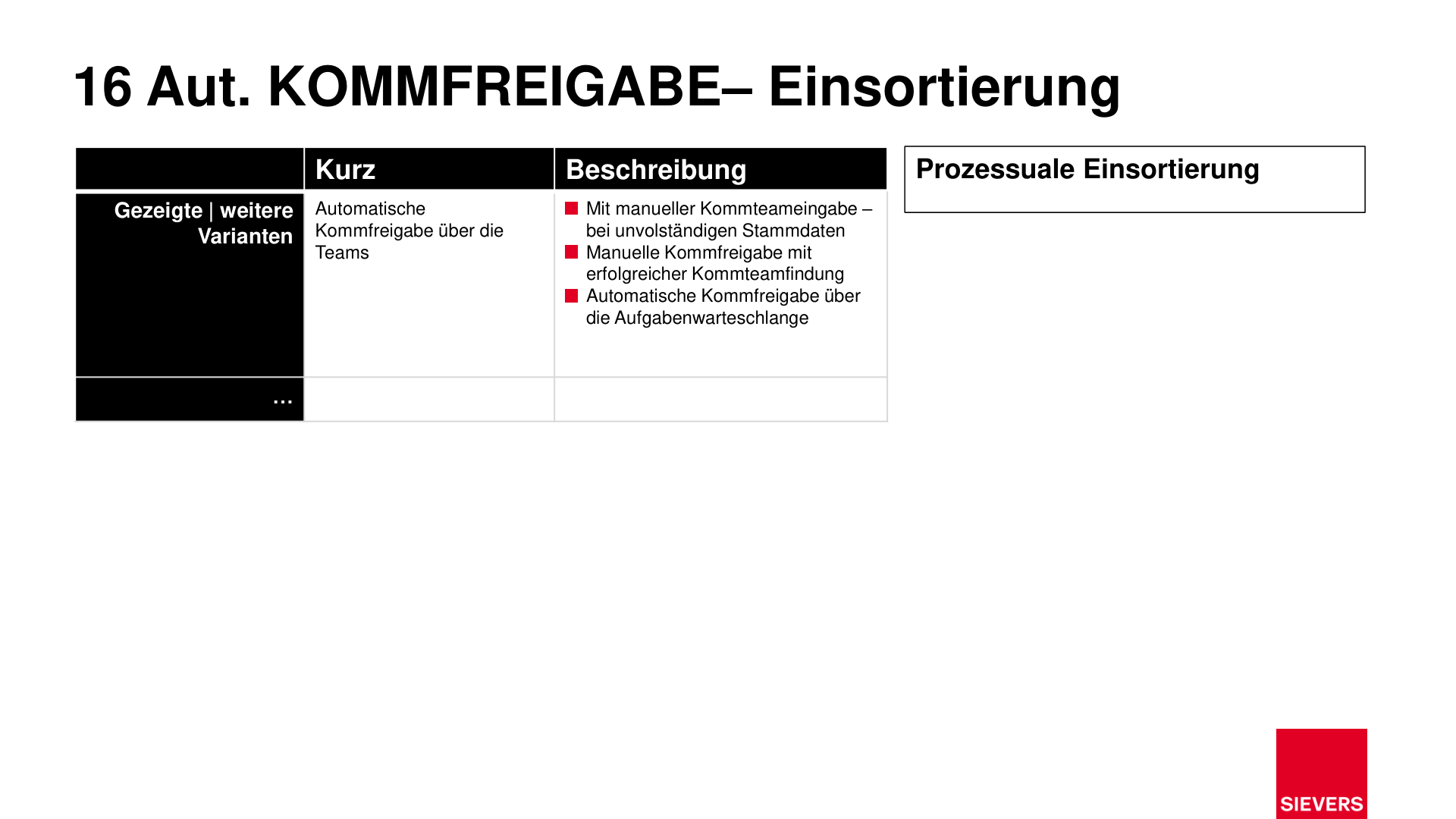
- Manually: Select Picking > Automatic Release in the team and confirm the prompt.
- Automatically: A job queue entry runs the release on a schedule.
4. Review the result
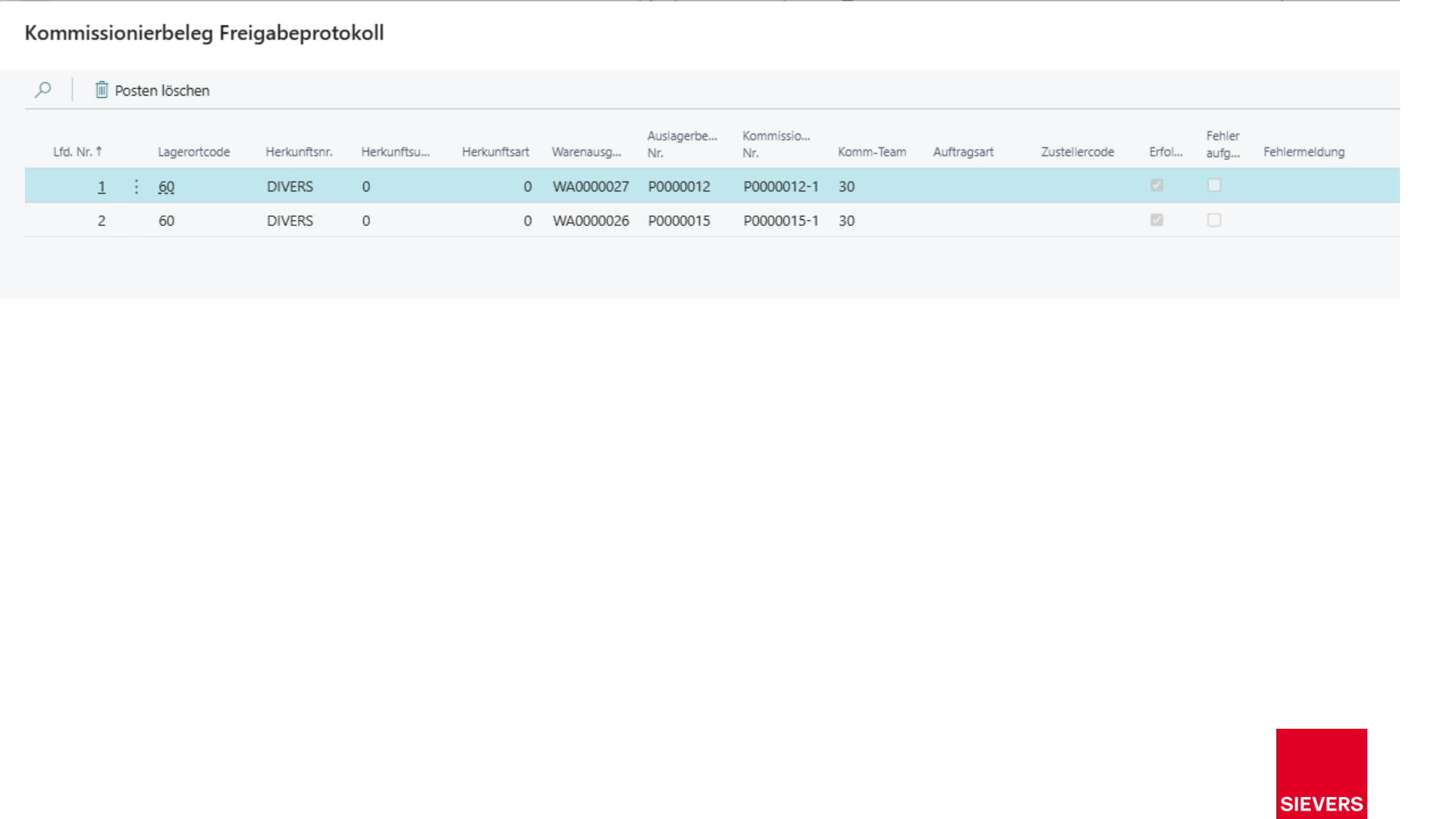
Check the result in the Picking Release Log. Errors are recorded with a message and skipped without aborting the entire run.
Hinweis
Manual release remains available if master data is incomplete or an individual decision is required. See Manual Picking Release.
Setup
- SWMS Teams: Topology, order type, and shipping agent must be assigned to teams.
- Release lead time: Configure in teams and/or order types.
- Job queue: Codeunit 70294228 (AppSource/SaaS/OnPrem) or 77228 (PTE).
Slides