Automatic Creation of Warehouse Documents
Automatic creation of warehouse documents reserves and prepares stock for source document lines using the Outbound Stock Post Automation. It reduces manual effort, increases processing speed, and ensures sufficient stock is available before picking begins.
Purpose
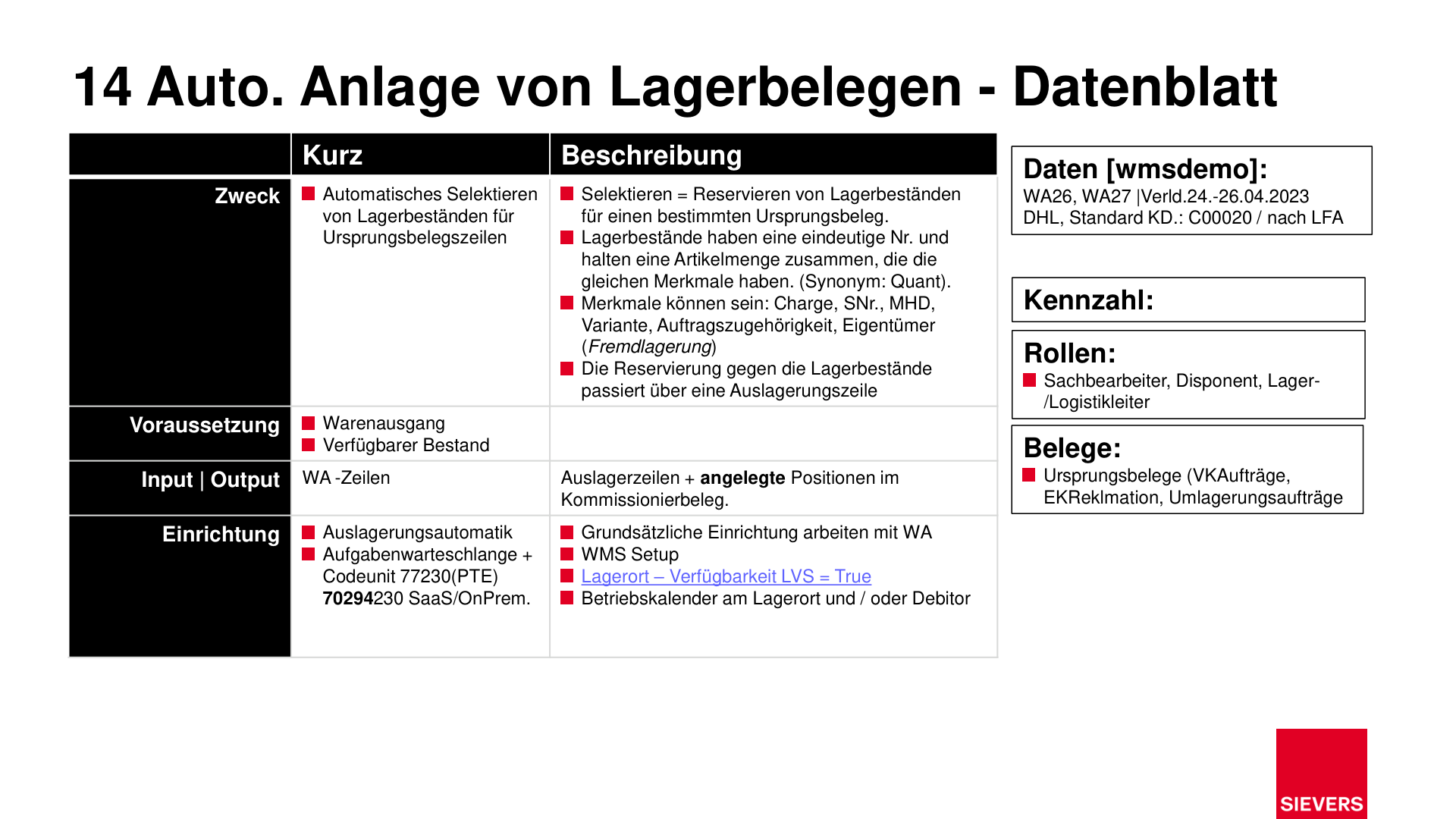
- Automatically reserve stock for upcoming warehouse shipments
- Create picking documents without manual intervention
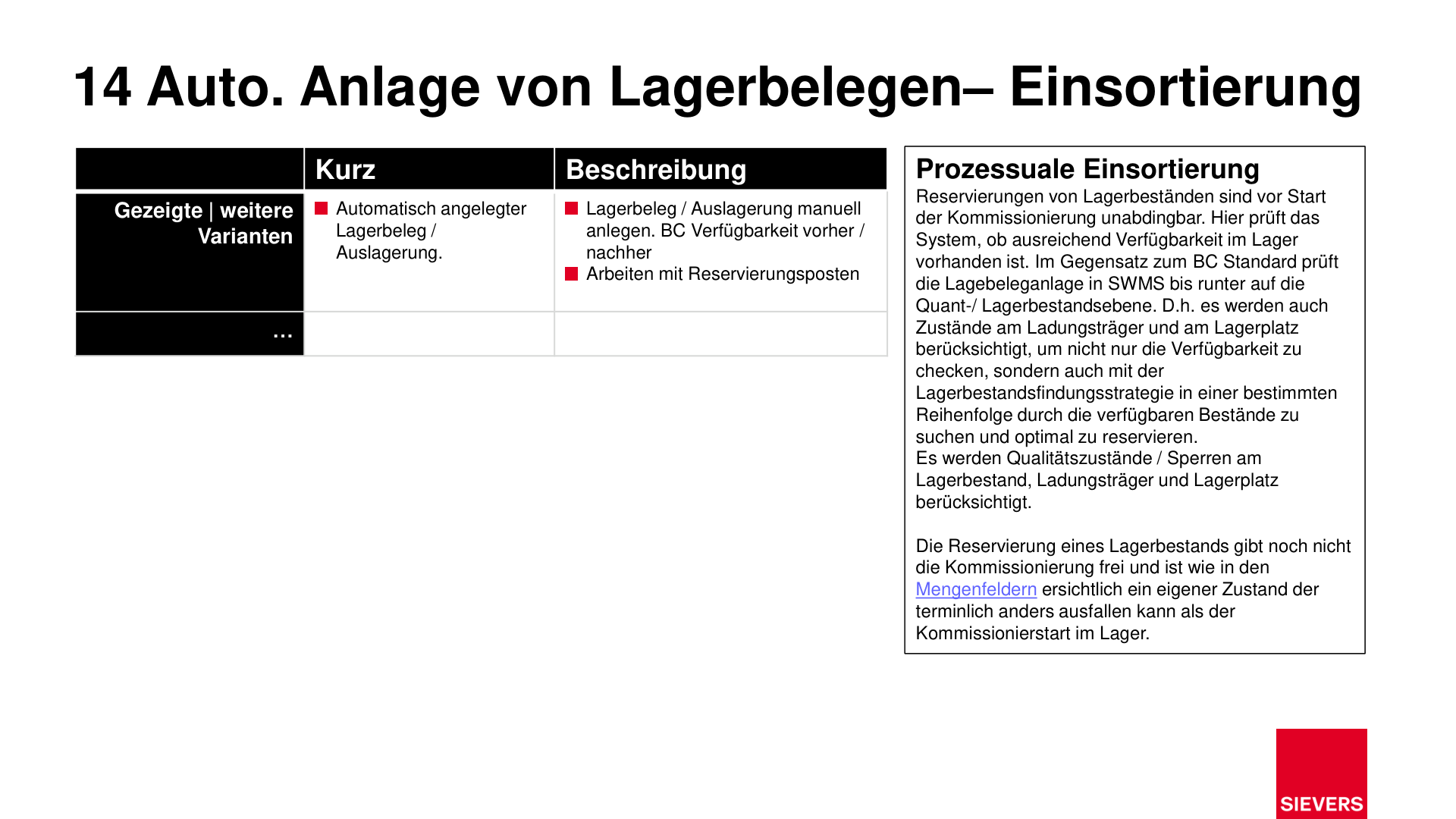
- Respect load carrier and storage location states as well as quality blocks
Prerequisites
- Warehouse shipment created
- At least one item on the warehouse shipment has stock available to cover part or all of its demand
- Outbound automation activated
- Job queue configured: Codeunit 71310045 (AppSource/SaaS/OnPrem) or 77230 (PTE)
- Business calendar defined at location and/or customer
- Location: WMS Availability = True
Process
Before creating an Outbound Stock Post, the automation checks whether at least one item on the warehouse shipment has available stock that covers part or all of its demand. If no item is available, no Outbound Stock Post is created and no number from the number series is consumed.
1. Set up the outbound stock post automation
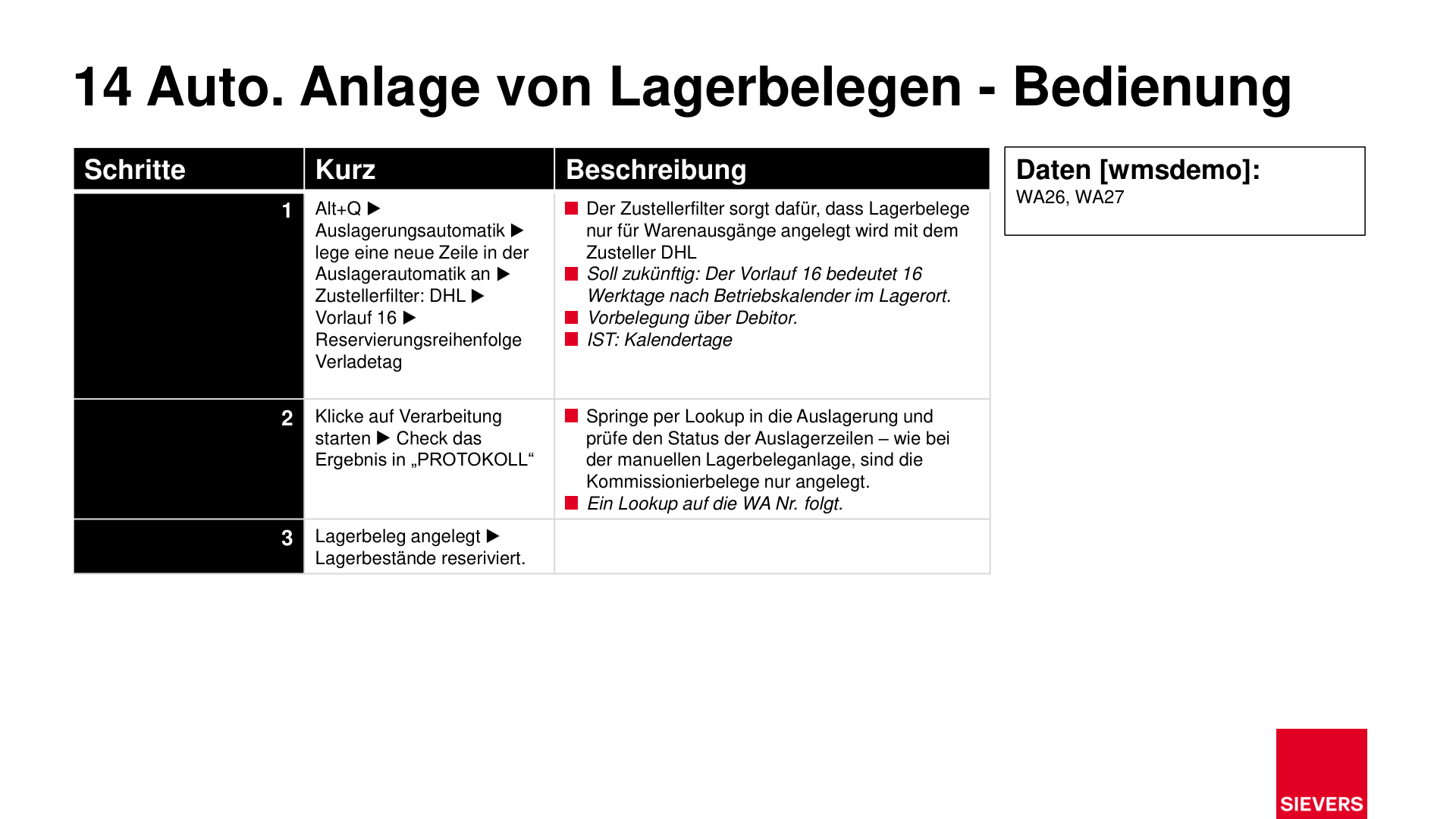
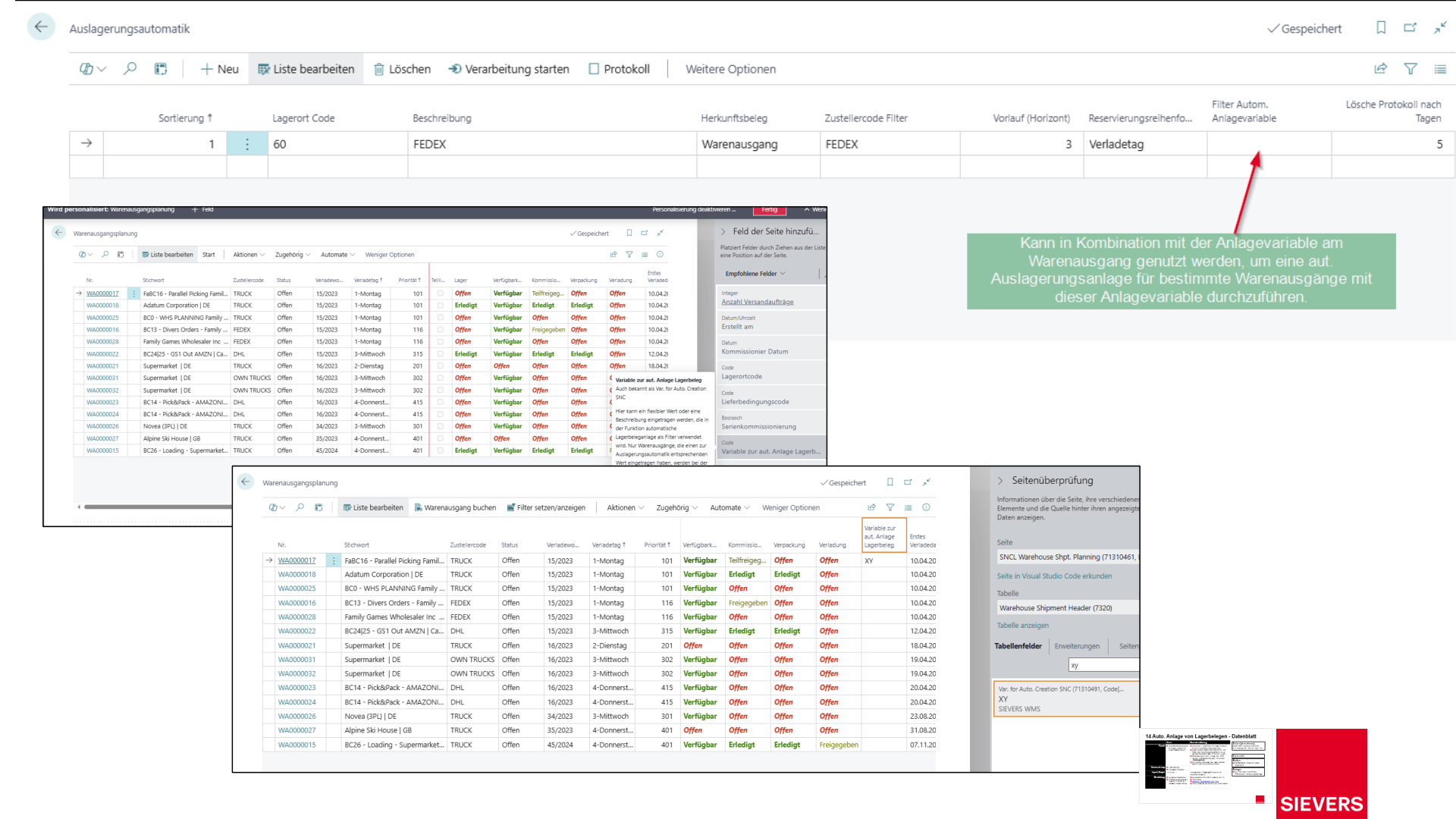
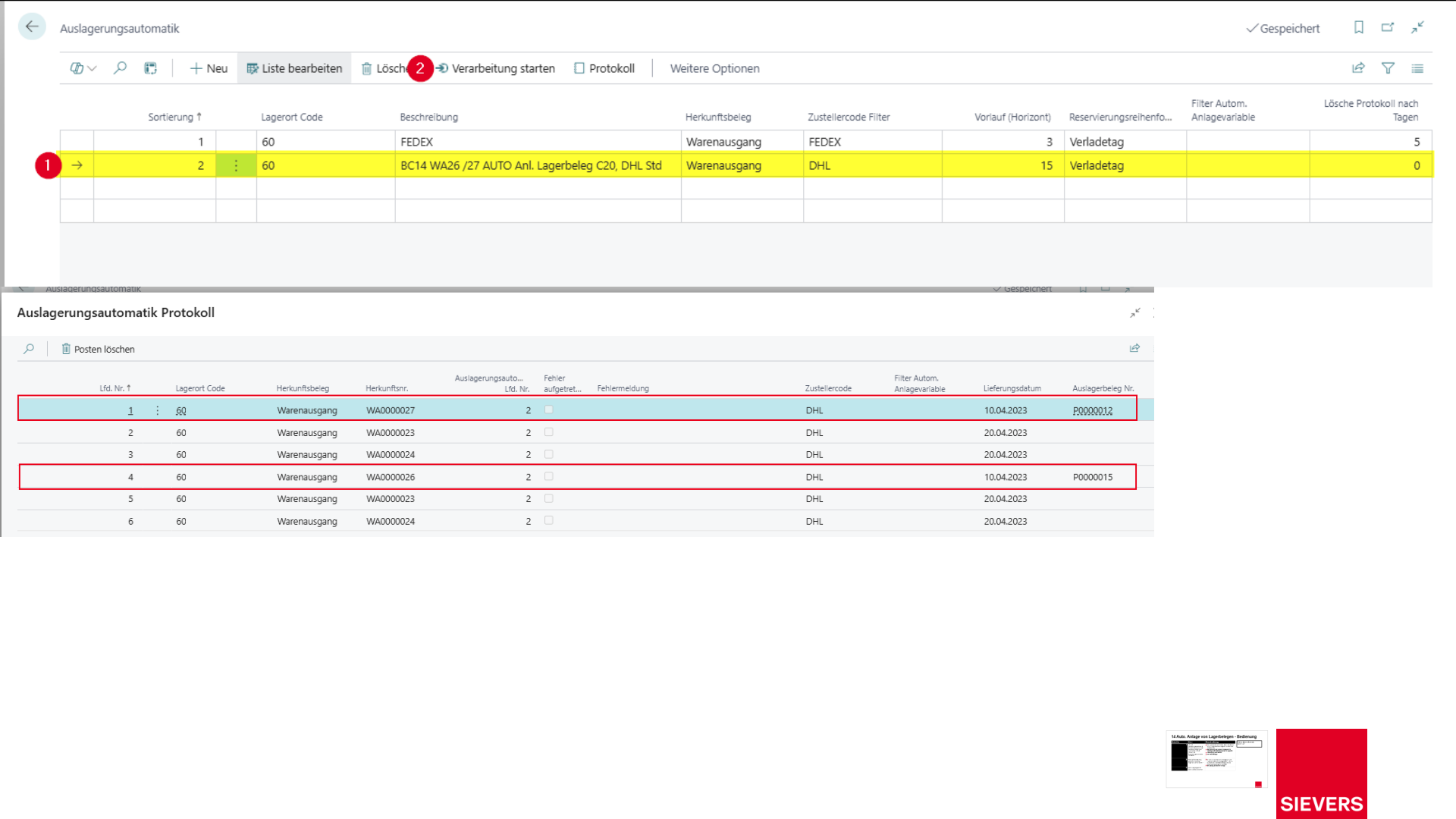
- Open the Outboun Stock Post Automation (Alt+Q).
- Create a new line.
- Set a shipping agent filter (e.g. DHL).
- Set the lead time (e.g. 16 = 16 working days according to the location business calendar).
- Define the reservation sequence by loading day.
2. Start processing
- Click Start Processing.
- Review the results in the log.
- Use the lookup to navigate to the outbound stock post and check the status of the outbound stock post lines.
3. Review the result
- The warehouse document is created automatically.
- Reservation entries with item tracking are also supported. For lot- and serial-number-tracked items, open quantities are calculated correctly without creating over-deliveries.
- Only the remaining open quantity is reserved when the warehouse document is created. Quantities already reserved are not reserved again.
- Stock is blocked for the reservation.
- Picking documents are created but not yet released.
Hinweis
Reserving stock does not automatically release picking. The release of picking documents is a separate step.
Setup
- Activate the outbound automation in the SWMS Setup
- Configure the job queue: Codeunit 71310045 (AppSource/SaaS/OnPrem) or 77230 (PTE)
Roles
- Clerk, dispatcher, warehouse/logistics manager
Documents
- Source documents (sales orders, purchase return orders, transfer orders)
- Automatically generated warehouse documents and reservations
Related Pages
Slides