Outside Storage
Outside storage refers to the inbound and outbound storage of items on behalf of an external customer. The warehouse manages goods that do not belong to its own company and settles the logistics services rendered through storage charges.
The processes in the context of outside storage differ only slightly from the normal processes in SIEVERS WMS. Nevertheless, there are differences that are highlighted in the following sections.
Prerequisites
The following fields must be correctly maintained on the item:
- Inbound Stock Post Customer No.: Customer commissioning the inbound storage
- Outbound Stock Post Customer No.: Customer commissioning the outbound storage
- Storage Charges Code: Basis for billing ongoing storage costs
Source documents for outside storage processes are inbound stock post orders (for the warehouse receipt) and outbound stock post orders (for the warehouse shipment), which are created via the corresponding lists in Business Central.
Warehouse Receipt in outside storage
Hinweis
Please note that resources can still be entered manually in the lines of the SNCL Inbound Stock Post order even after release.
- Create a new inbound stock post order for the customer, enter the item, enter the quantity, and release the order.
- Execute the Create warehouse receipt action and open the created warehouse receipt.
- Enter the Shipping Agent Code and Vendor Shipment No., activate the Quantity checked field, and post the warehouse receipt.
- Use Home -> Create warehouse document to create an inbound stock post and continue the process as usual.
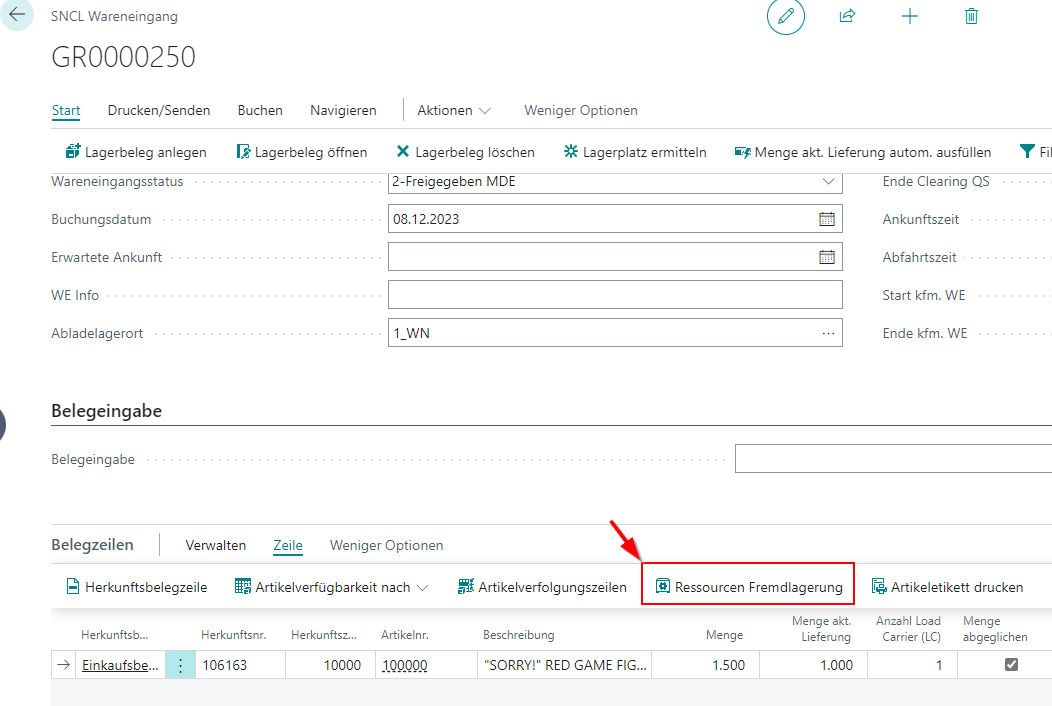
To enter outside storage resources sporadically, use the Outside storage resources function in the line menu of the receipt lines in the warehouse receipt or directly in the Inbound Stock Post.
Warehouse shipment in outside storage
- Create a new outbound stock post order for the customer, enter the item, enter the quantity, and release the order.
- Execute the Create warehouse document action and open the created warehouse document.
- Execute Assign storage place automatically to determine a storage place for the withdrawal.
- Set the status to Finish Message and post the warehouse document.
- Create a warehouse shipment from the outbound stock post order.
- In Warehouse Shipment Planning, use Home -> Create warehouse document to create an outbound stock post and continue the process as usual: Creation and progress of the warehouse shipment document and picking document.
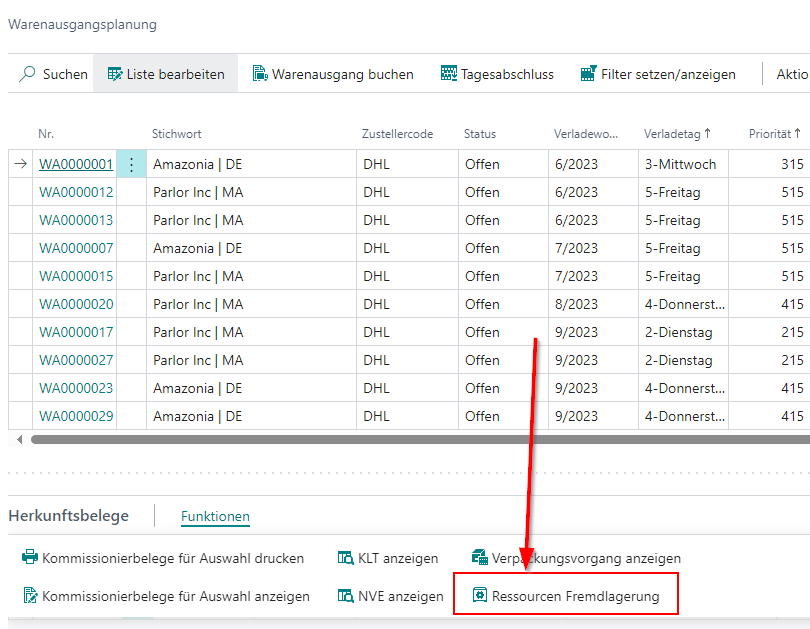
For the sporadic entry of outside storage resources, use the Outside storage resources function at various points in the process if required:
- in the source document functions in Warehouse Shipment Planning or the Warehouse Shipment content,
- in the line actions at item level or
- in the picking document
Dealing with resource recording in outside storage
The resources in the context of outside storage are used to record expenses. These can be regular expenses such as the use of materials and personnel for a warehouse receipt or irregular expenses such as the additional securing of poorly packaged items. You can record regular or recurring expenses largely automatically. You can record non-recurring expenses manually during the progress of external warehouse processes. Outside stock resources are billed using the outside stock unit billing.
Resources for recurring expenses
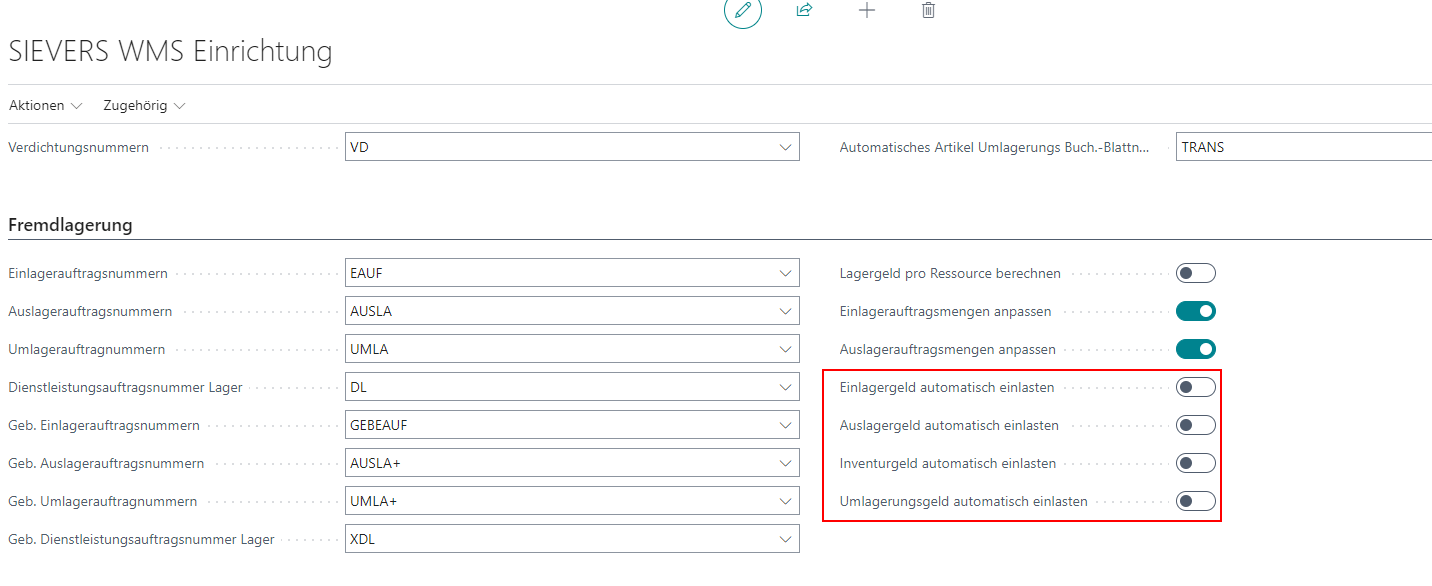
You can automate the utilization of resources. We recommend setting this up for recurring expenses. To do this, activate the Enter * Charges automatically options in the SIEVERS WMS setup. If you do not want to activate this in principle, you can also activate these options manually for specific customers and vendors in the respective cards in the SIEVERS WMS area.
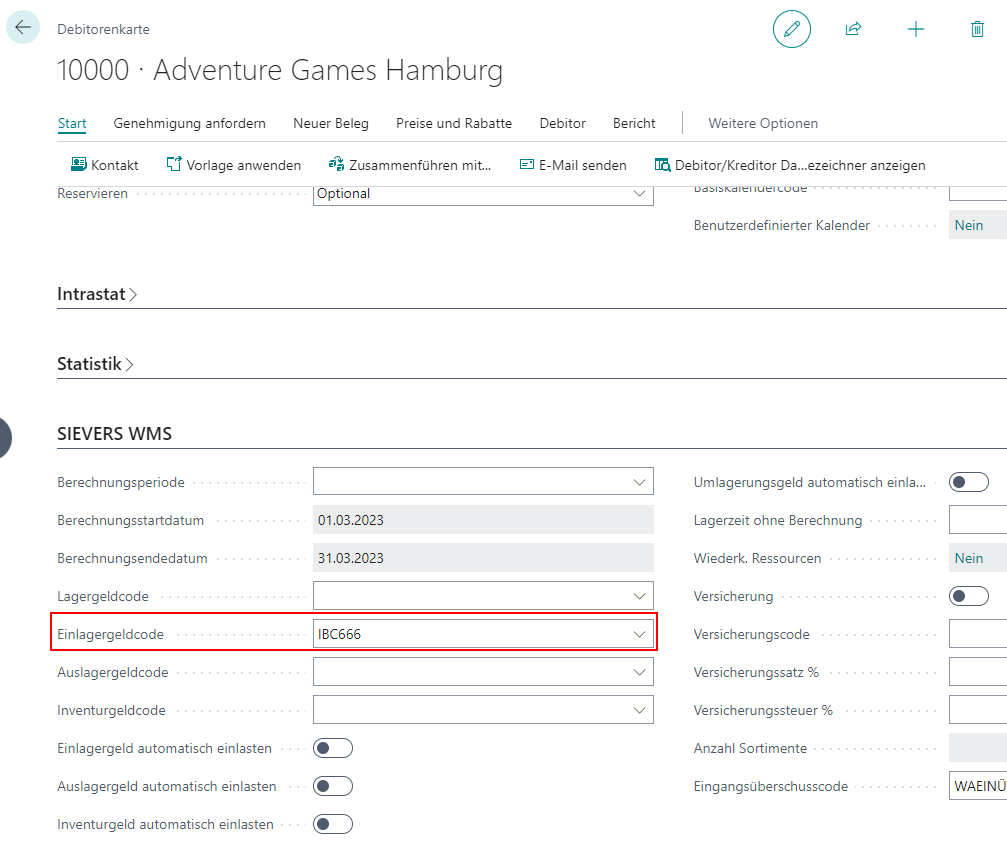
Now store the appropriate storage charges codes in the item or in the customer.
These resources are now automatically entered in the receipt lines after posting the document. In the case of stocktaking, the expenses are automatically entered in the service order warehouse. If you do not want the resources to be entered automatically, this can also be done manually for each document. To do this, execute the Enter Inbound Stock Post/Outbound Stock Post charges action after releasing the document.