Initial Stocktaking
Initial stocktaking transfers existing warehouse inventory into SIEVERS WMS for go-live. The process covers system preparation, importing inventory data through a configuration package, transferring the data to a cycle counting list, and final posting in Business Central.
Process overview
- Check the prerequisites.
- Prepare the SIEVERS WMS setup.
- Create stocktaking with the Initial Stocktaking type and an empty cycle counting list.
- Prepare the configuration package and Excel data.
- Import and validate the Excel data.
- Transfer the new inventory to the cycle counting list.
- Transfer the cycle counting list to stocktaking and post it.
- Complete the follow-up checks.
Prerequisites
The following data and setup must exist before the inventory takeover starts:
| Prerequisite | Responsible |
|---|---|
| Locations and storage places are created in Business Central. | Customer or project team |
| Items, including variants and enabled lot or serial number tracking, are maintained. | Customer or project team |
| Number series for WMS documents are fully set up. | Customer or project team |
| Empty load carriers are created in the system. | Customer or project team |
Prepare the setup
Set quantity differences
Adjust the quantity differences so that no journal lines are created automatically. For example, remove existing values such as 10 or 50 and set the values to 0.
Disable automatic cycle counting list takeover
Disable automatic takeover of cycle counting lists 1 and 2. This prevents an additional count from being required during initial recording.
Transfer the unit cost from the stocktaking line
Enable Unit Cost from Initial Stocktaking in the Stocktaking section of SIEVERS WMS Setup to transfer the unit cost from the stocktaking line to the phys. inventory journal when posting an initial stocktaking. The unit cost is transferred only for the Initial Stocktaking type and when it is greater than 0.
For further parameters, see SIEVERS WMS Setup.
Create stocktaking and an empty cycle counting list
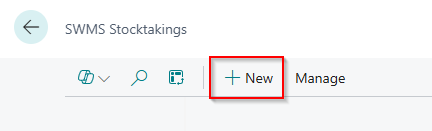
- Open SWMS Stocktakings.
- Choose + New and create a stocktaking.
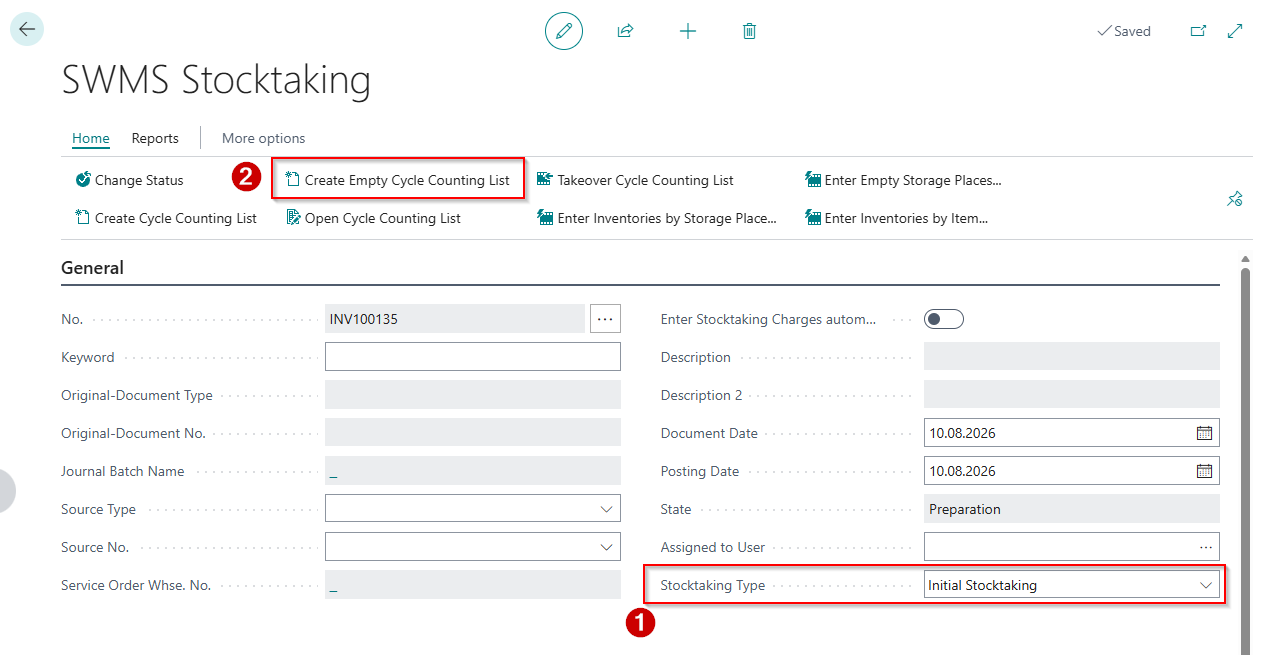
- In the stocktaking header, set Stocktaking Type to Initial Stocktaking.
- Choose Create Empty Cycle Counting List. A cycle counting list with status 2-Released is created. It initially contains no lines.
Prepare the configuration package and Excel data
Create the configuration package
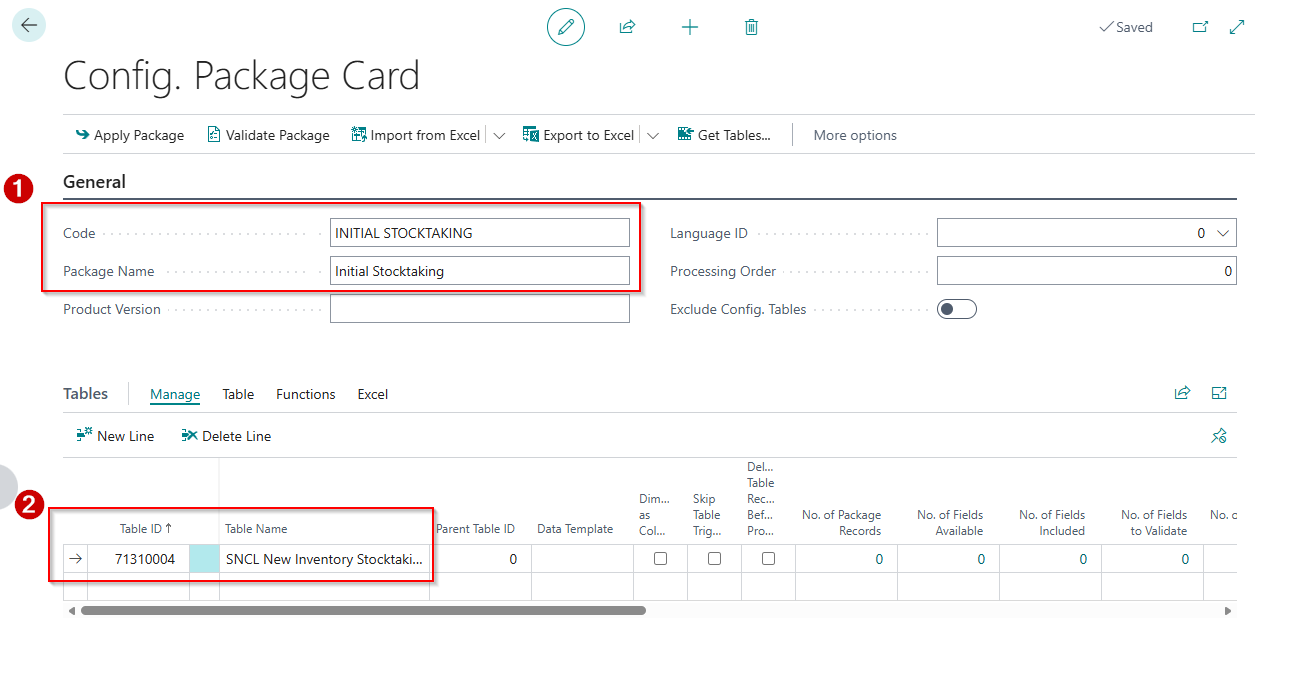
- Open Configuration Packages and choose + New.
- Enter the table ID that matches the installed WMS variant:
- 71310004 for AppSource, SaaS, and OnPrem.
- 77004 for the PTE version. The table is SNCL New Inventory Stocktaking.
- Save the configuration package.
Hinweis
Use only the table ID of the installed WMS variant. Do not combine the two IDs.
Select fields in the configuration package
Select the required fields first and then the optional fields. The following required fields must be filled in for every import line:
| Field | Type | Description |
|---|---|---|
| Stock Inventory No. | Code 20 | Number of the stocktaking created earlier |
| Cycle Counting No. | Integer | Number of the related cycle counting list, usually 1 |
| Line No. | Integer | Consecutive number of the cycle counting line |
| Item No. | Code 20 | Item number from Business Central |
| Location Code | Code 10 | WMS-managed location code from Business Central |
| Storage Place Code | Code 20 | Storage place code |
| Container Code or GS1-SSCC | Code 20 or Code 18 | At least one of the two fields must be filled in |
| Number of Units packed | Decimal | Quantity to transfer |
Use Container Code when an internal container code from the container master is used. Use GS1-SSCC when the load carrier is identified by a GS1 or SSCC barcode. Both fields can be filled in at the same time.
The following fields can also be imported:
| Field | Type | Description |
|---|---|---|
| New inventory no. | Code 20 | Internal inventory identifier, if available |
| New Variant Code | Code 20 | Item variant code |
| New Lot No. | Code 50 | Lot number when lot tracking is enabled for the item |
| New Serial No. | Code 50 | Serial number when serial number tracking is enabled for the item |
| New Sell-By Date | Date | Sell-by date of the inventory |
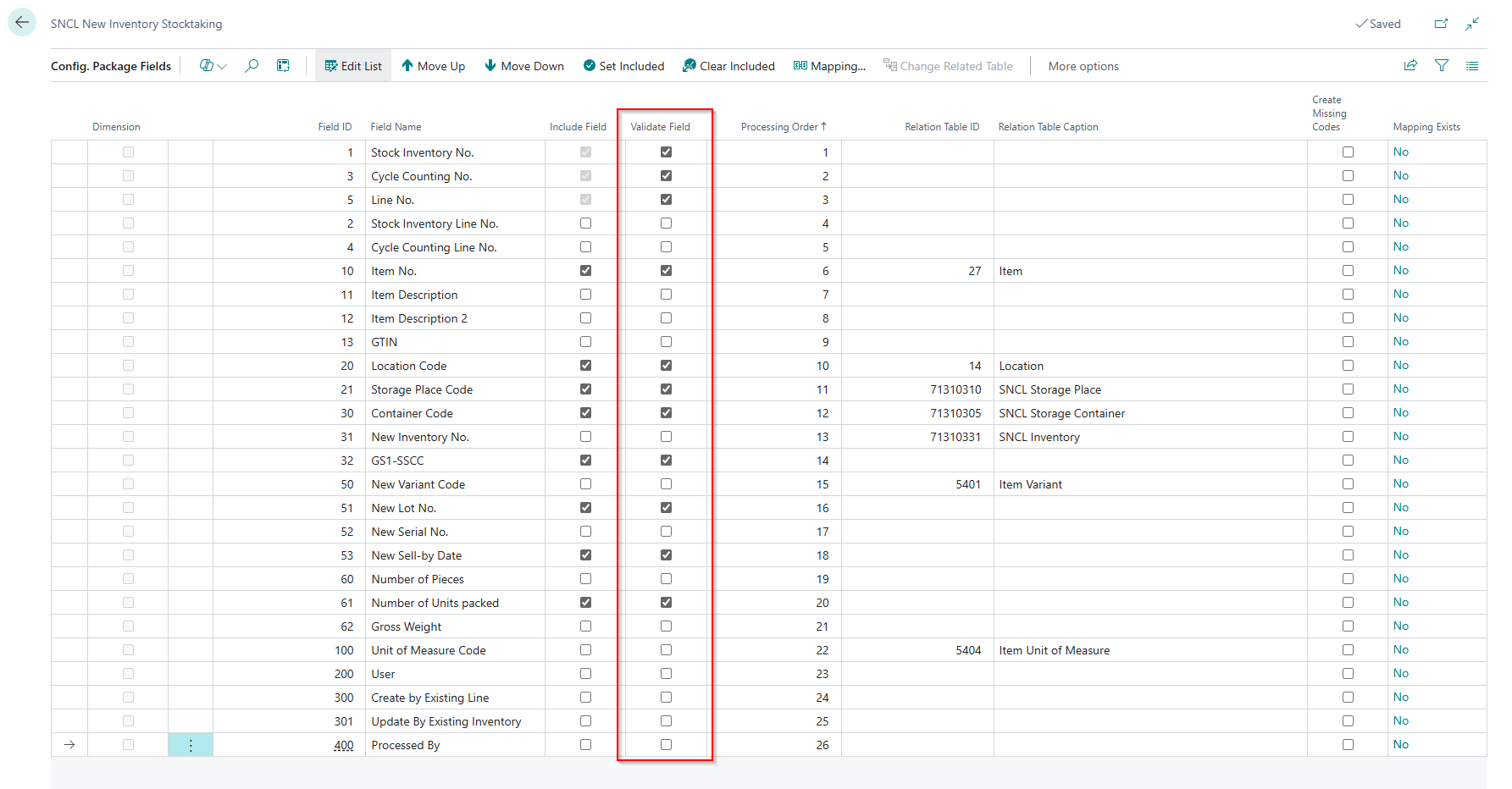
For fields that are not relevant, clear Validate Field. The import then does not stop because of differing values in these fields.
Export and fill the Excel template
- Export the configuration package as a template through Export to Excel.
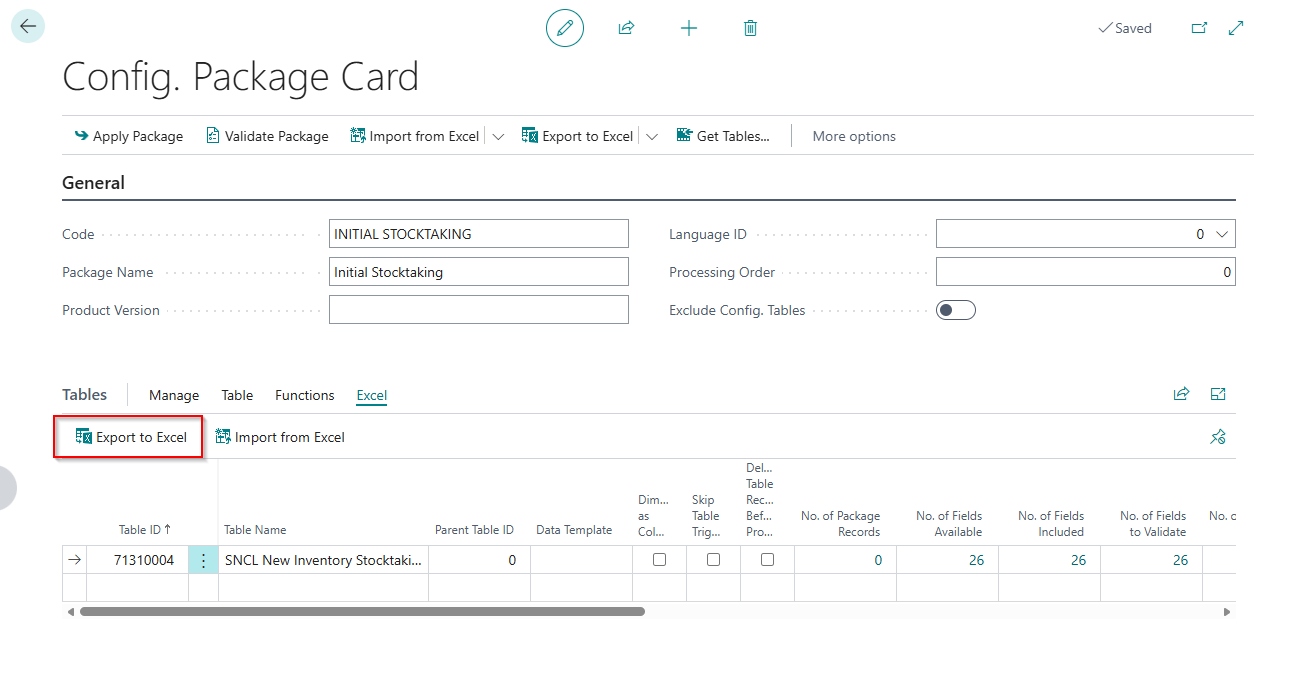
- Fill the template with inventory data from the legacy system.
- Make sure the line number is consecutive and unique for each stocktaking and cycle counting list.
- Save the file in .xlsx format.

Import and validate the Excel data
Import the Excel file
Import the completed Excel file into the configuration package through Import from Excel.
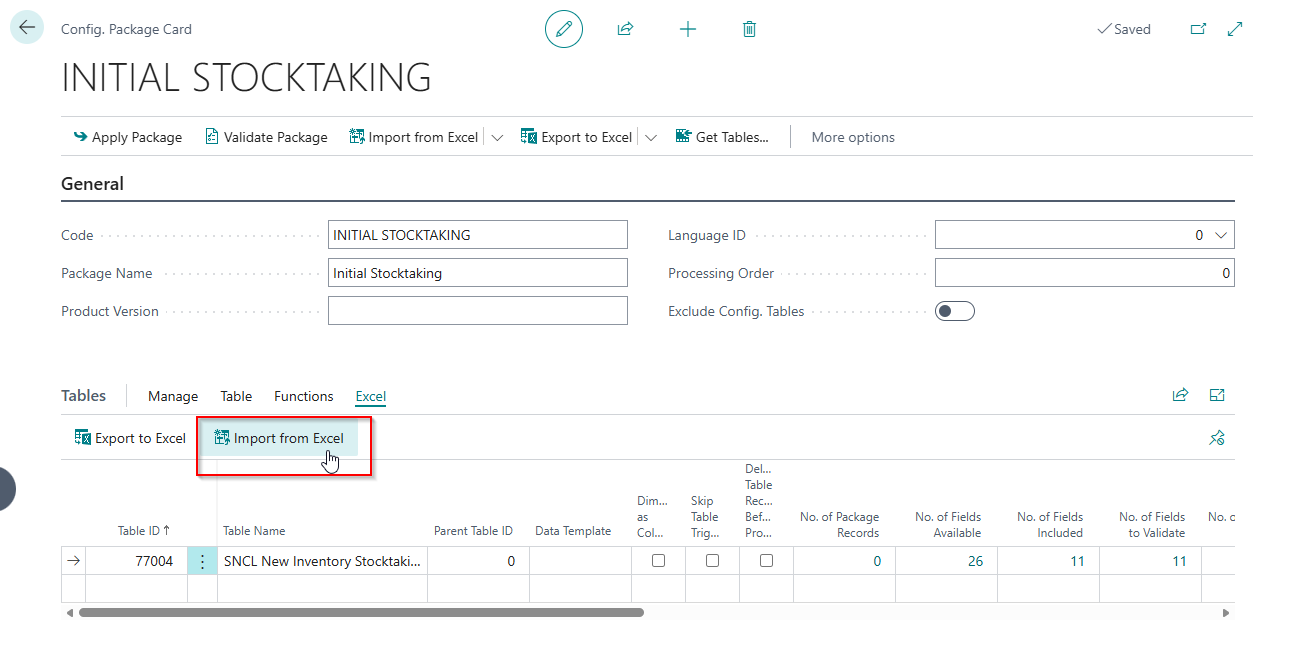
Review the package codes and tables in the preview. Choose Import to continue.
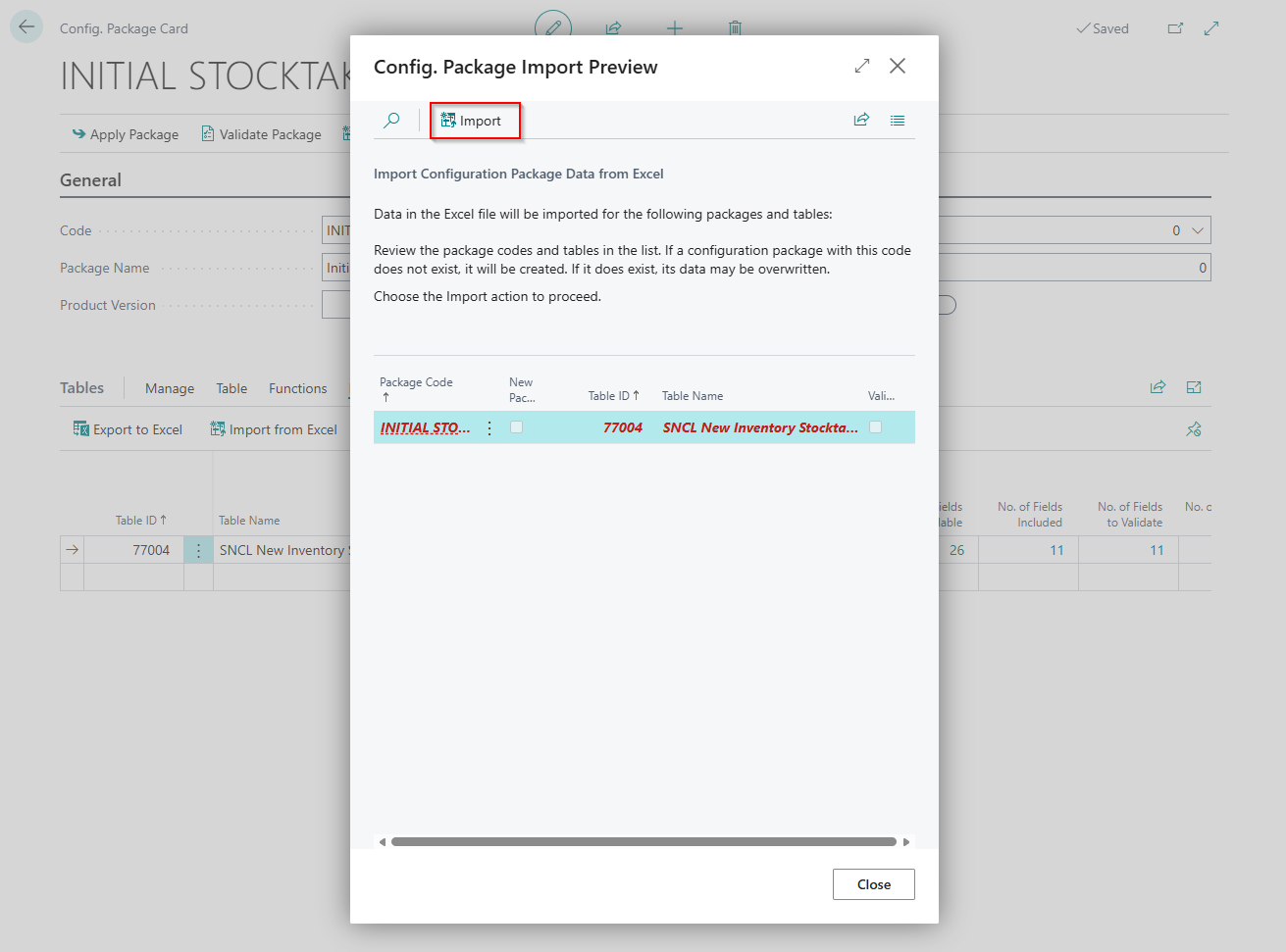
Review the imported data
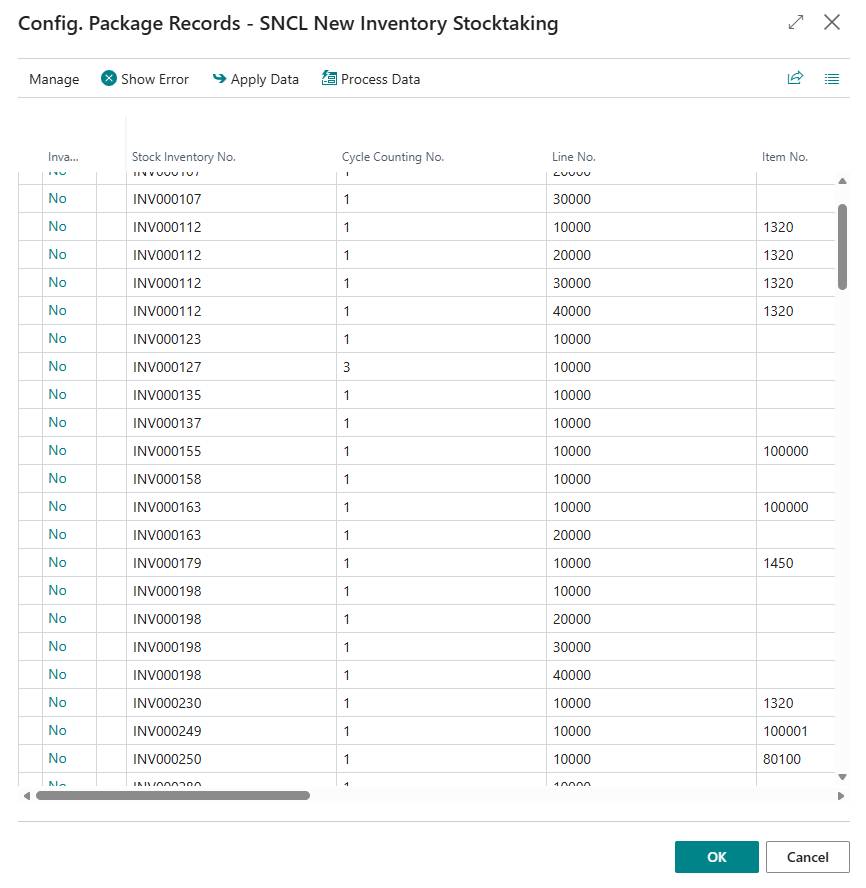
After the import, open the imported records through the link in the configuration package.
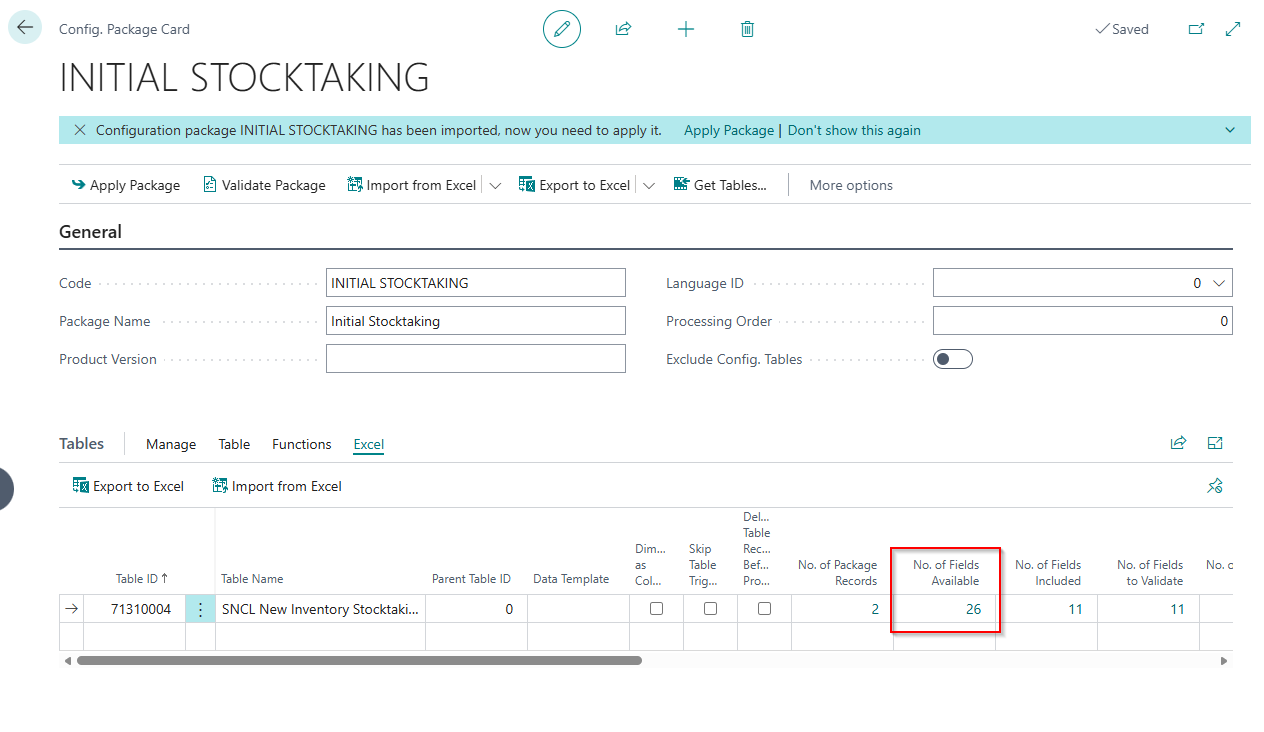
Review the records. You can edit or delete data here and exclude records from the import.
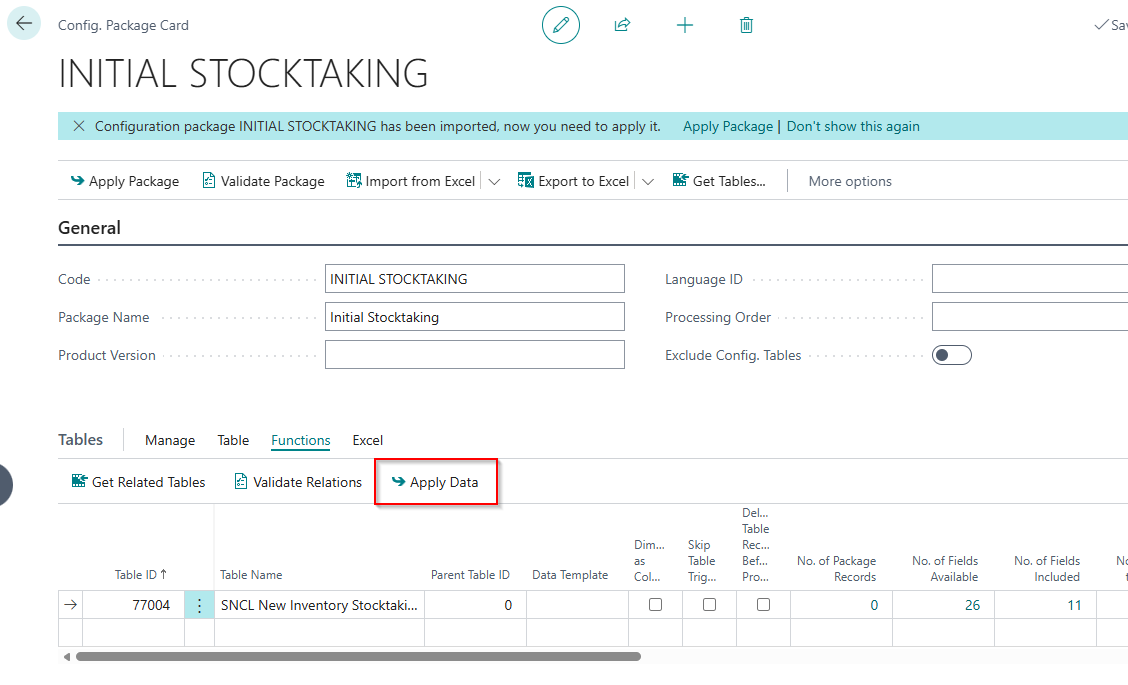
To transfer all data from the import table, choose Apply Data in the configuration package.
Check the import for errors
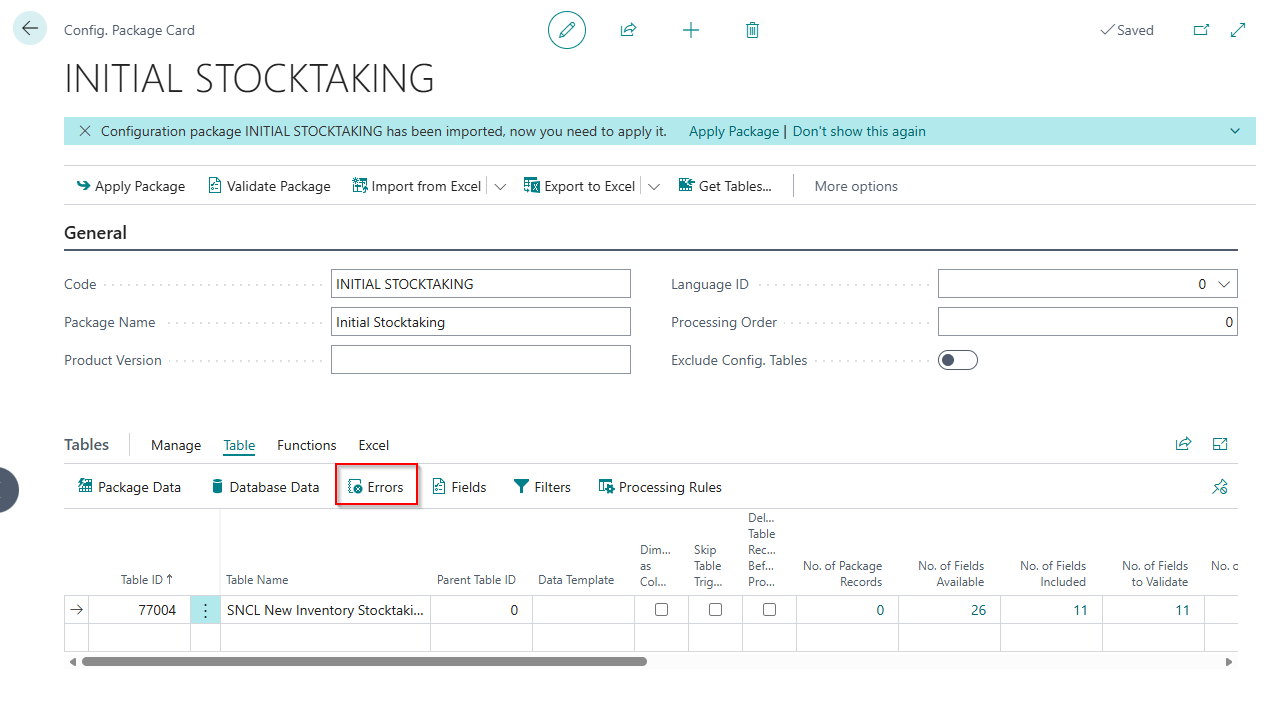
After the import, check the No. of Errors column in the configuration package. On the Table tab, choose Errors to identify and correct faulty lines.
Correct faulty lines and choose Apply Data again. The No. of Errors column must show 0 before you continue.
Transfer inventory to the cycle counting list
- Return to the stocktaking created earlier and choose Open Cycle Counting List.
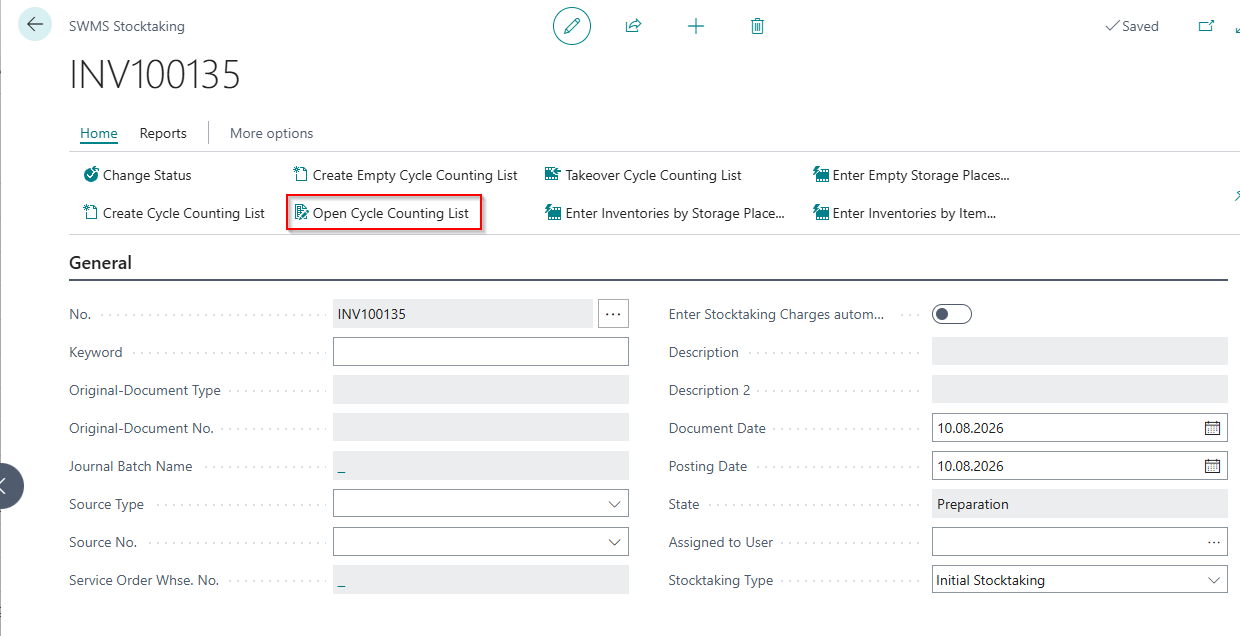
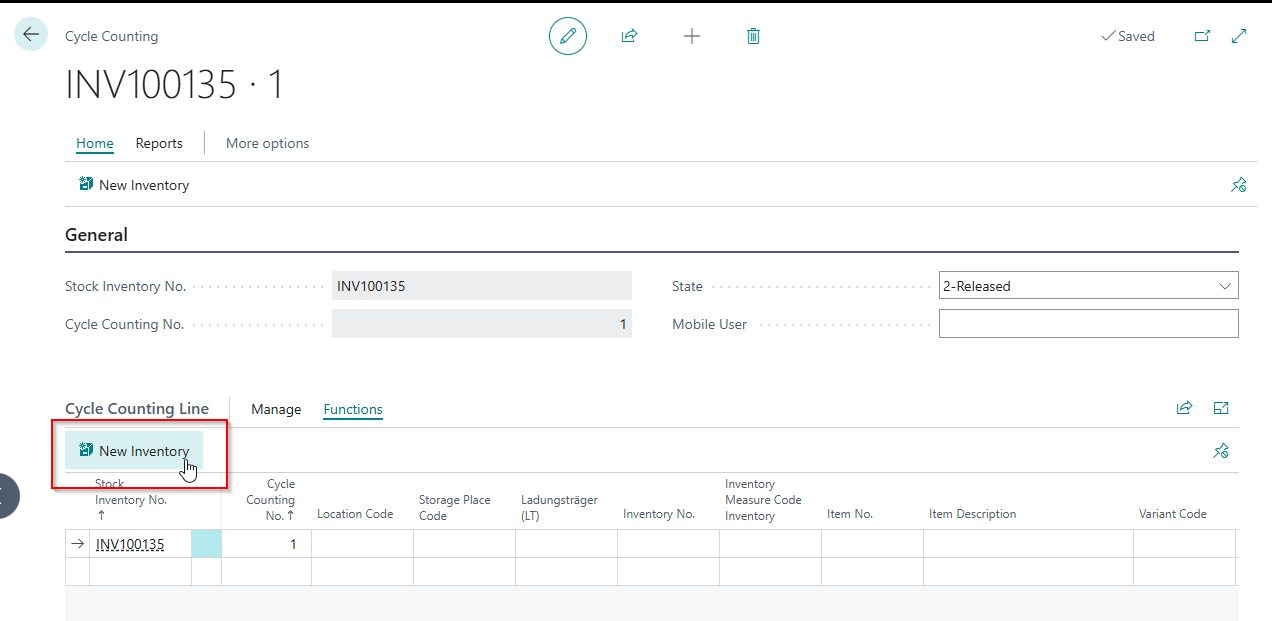
- Choose New Inventory in the cycle counting list.
- Choose Take Over Inventory to propose the imported data from the configuration package for the cycle counting list.
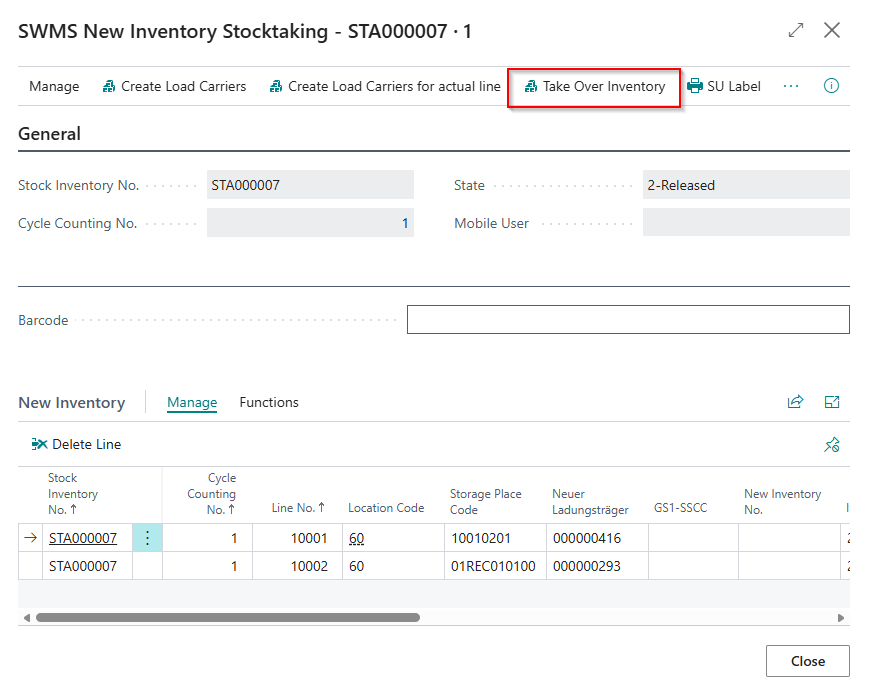
- Check that the data is complete and correct.
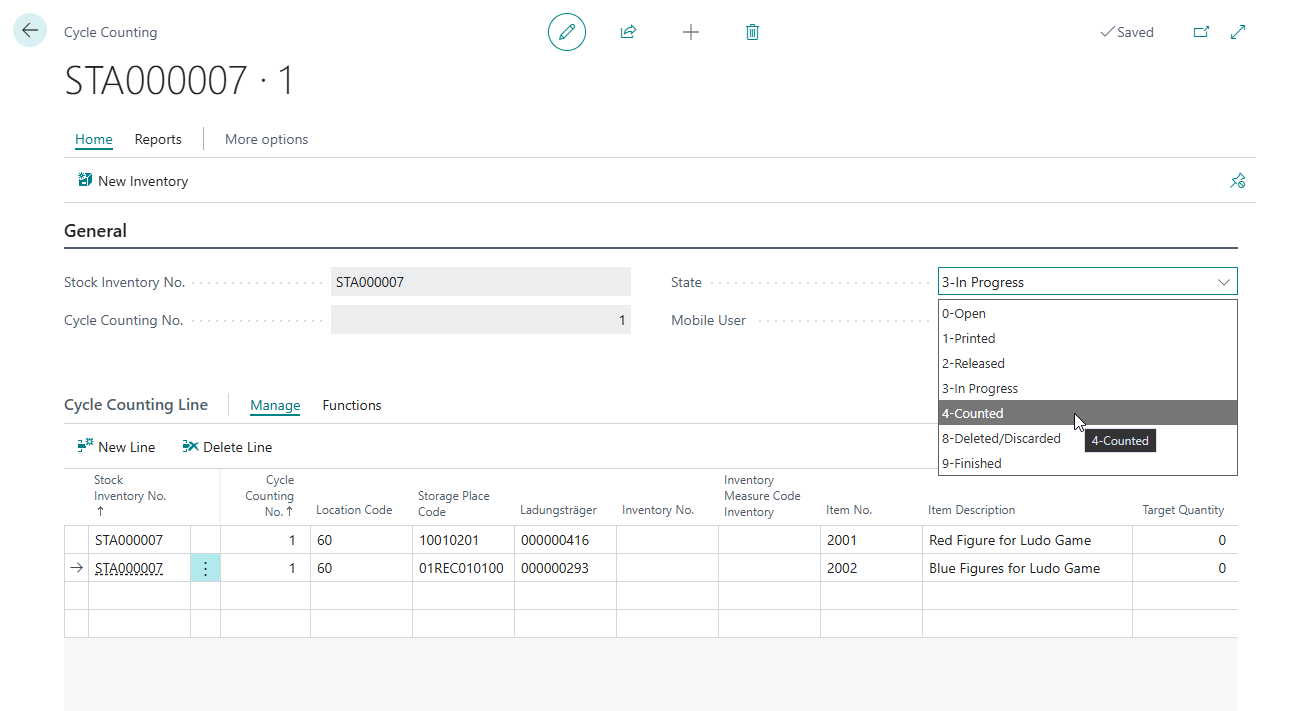
- Change the cycle counting list status to 4-Counted.
Complete and post stocktaking
After all imported data has been transferred to the cycle counting list and the list has been marked as counted, choose Takeover Cycle Counting List to transfer it to stocktaking.
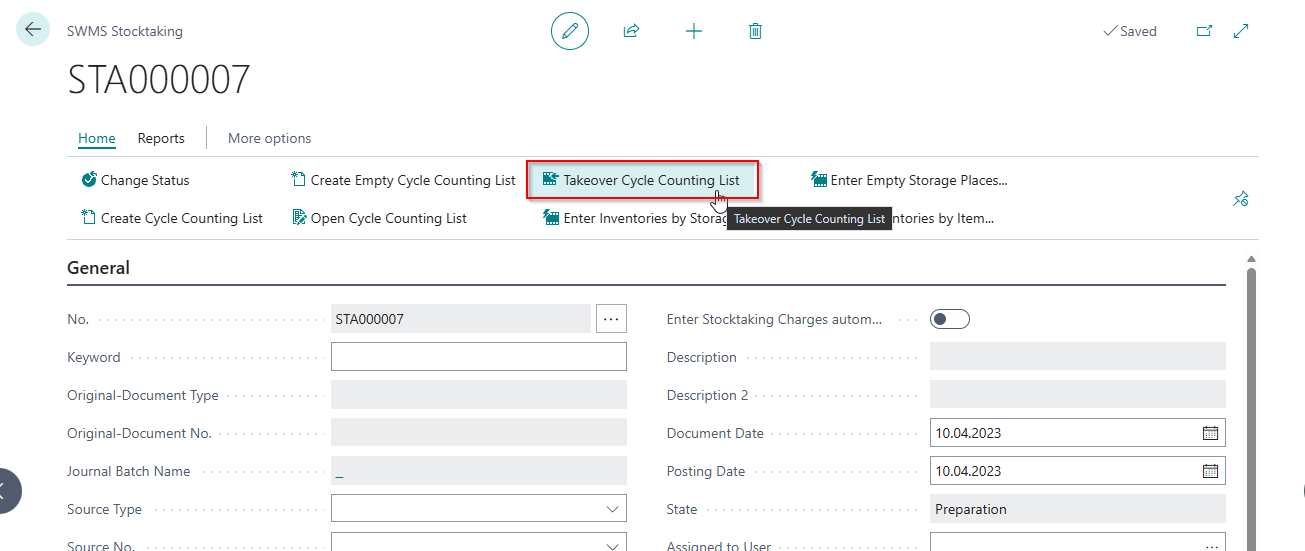
When all stocktaking lines are marked Counted, posting is triggered automatically. The inventory is posted in Business Central.
Follow-up checks
Check the inventory measure and subpackaging unit
Check the inventory measure and the subpackaging unit in the container master. If stocktaking assigned a different inventory measure than the one originally stored in the container master, correct the value in the container master.
Update number series
Make sure that the relevant number series for load carriers, stocktaking, and inventory numbers have consistent starting values. The starting values must not conflict with the imported data.
Check the warehouse topology
Check that each warehouse hall has the correct function, such as Sales Warehouse. If inventory is not Visible for Sales after the takeover, clear the setting and enable it again. This triggers the validation again.
Perform sample checks
Check a sample of the transferred inventory:
| Check | Expected result |
|---|---|
| Location and storage place | Match the legacy system |
| Quantity | Matches the legacy system |
| Load carrier code | Created and assigned correctly |
| Lot and serial numbers | Complete and correct |
| Sell-by date | Correctly transferred, if relevant |