Various Order Handling
This term stands for cross-order picking and packaging. Here, various stands for miscellaneous orders. What these orders have in common is that they are located within a warehouse shipment, share the same shipping address, and have the same unloading place. The goal is to save picking time: in particular, when the same item is ordered in multiple orders to the same shipping address, it pays to consolidate the demand and process it in a single picking run. Depending on whether various order handling is only used for packaging or also for picking, it has different effects:
- Packaging only: PTUs with an order reference from several orders are packed into one SSCC. The SSCC itself no longer has an order reference. This allows the customer to create a reference to their individual orders after opening the received SSCC.
- Packaging + picking: The picking process no longer refers to an order. The picker packs items from different customer orders into mixed packages. Orders that are progressed by the same packing team and have the same unloading place in warehouse shipment may be packed and picked together. This procedure can be very efficient - but leads to the customer no longer being able to refer to a specific order/order reference when receiving the SSCC.
Wichtig
This is not a picking method! Various order handling is a complementary function to the picking methods (serial, parallel, series-oriented, Multi-Order Picking). It answers the question of whether orders may be processed mixed – the actual picking method works in addition. Example: orders can be handled cross-order (various) and at the same time picked in a series-oriented manner.
The setup for this function is done via the SIEVERS WMS setup and the customers. If individual orders should not be part of the various order handling, you can still override the settings in Warehouse Shipment Planning.
Setup
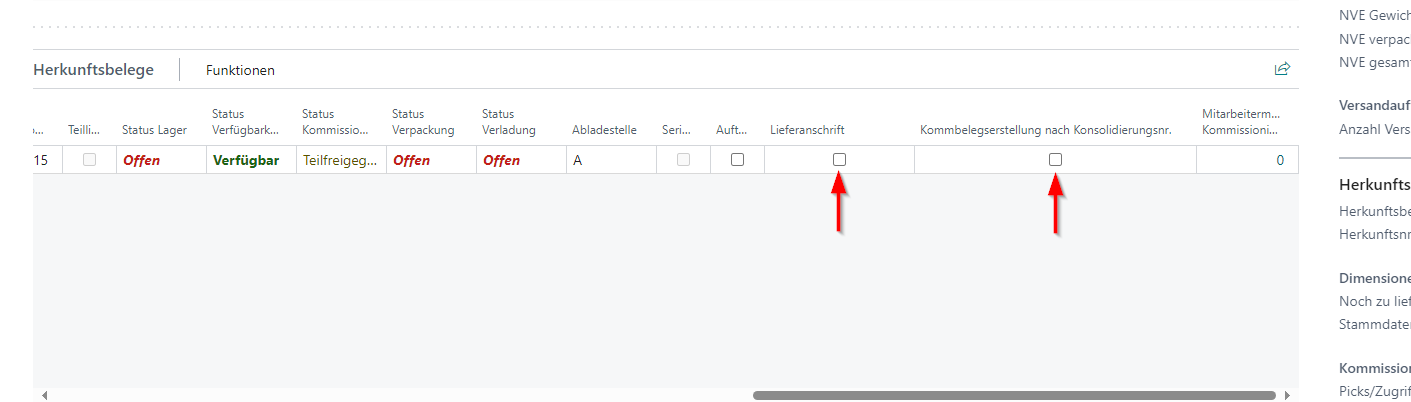
The two indicators By Shipping Address and Picking creation by consolidation number in the source document table of Warehouse Shipment Planning are central to various order handling.
- By Shipping Address: If this indicator is activated, this order may be packed together with other orders that meet the following requirements: same warehouse shipment, same unloading place, same packing team. This indicator can be set manually or pre-assigned by the customer. This indicator only applies to packaging. Please note that source documents with the same delivery address are always merged, even if, for example, the customer number is different.
- Picking creation by consolidation number: If By Shipping Address and the Picking document creation by consolidation number indicator are active, cross-order picking documents are created in which the picking quantities are totaled by picking team, item, load carrier and consolidation number from the Outbound Stock Post. If this option is activated, DIVERS is entered in the picking document instead of order numbers. This indicator can only be activated if *By Shipping Address is active.
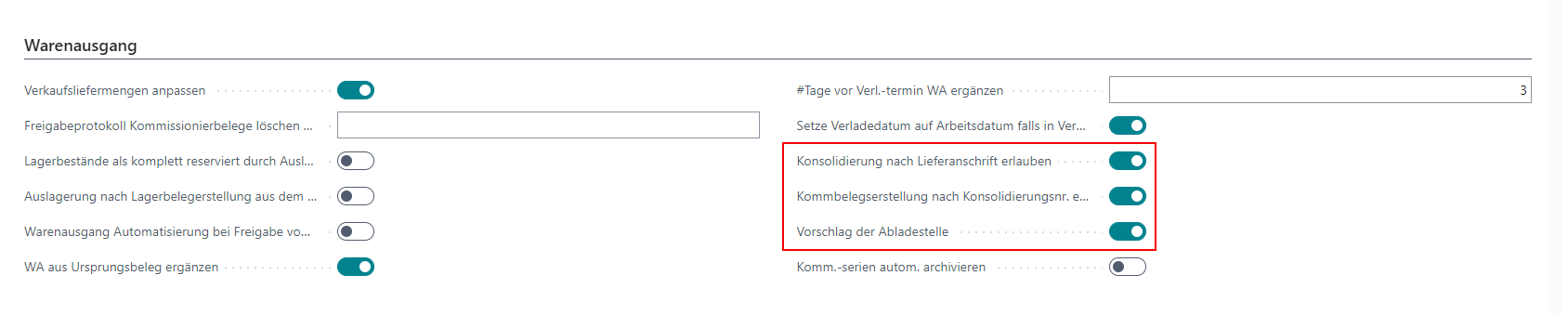
The use of these indicators must first be permitted in the SIEVERS WMS setup. Here there are the option fields
- Consolidation by Shipping Address allowed
- Allow picking creation by consolidation no.
Here you also have the option
- Proposal of the unloading point, which makes sense after consolidation by shipping address. If this option is activated, all warehouse shipments with the same shipping address will have the same unloading place.
You can automatically pre-assign the By Shipping Address indicator for Warehouse Shipment Planning in the customer. The Packing according to shipping address option is available in the Shipping section. Once activated, By Shipping Address is always activated for this customer. If required, you can also deactivate this manually depending on the order.
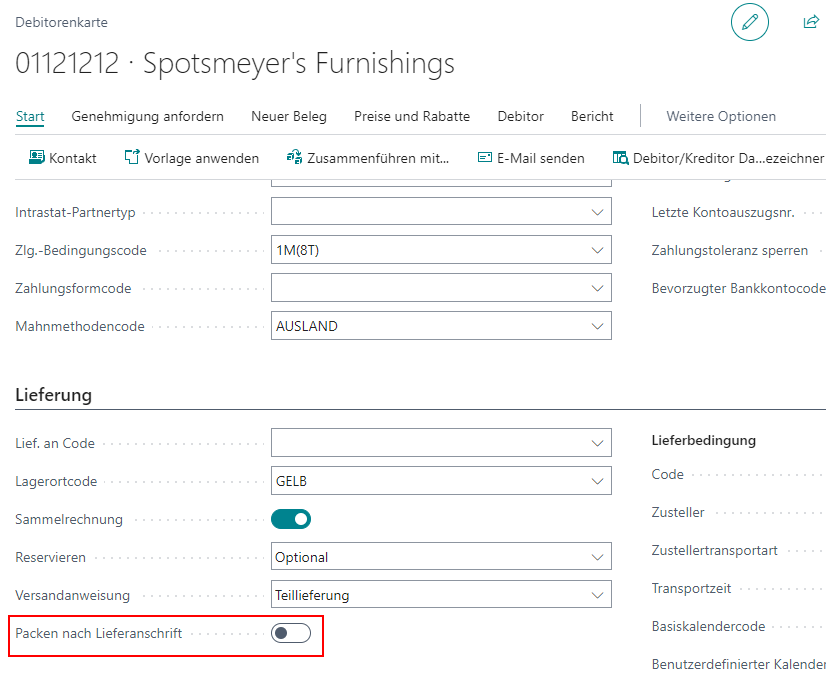
If the By Shipping Address indicator is automatically pre-assigned by the customer and the Consolidation by Shipping Address allowed field is set in the WMS setup, Picking creation by consolidation number is also always automatically set to active in Warehouse Shipment Planning for orders from this customer.