Shipping Advice
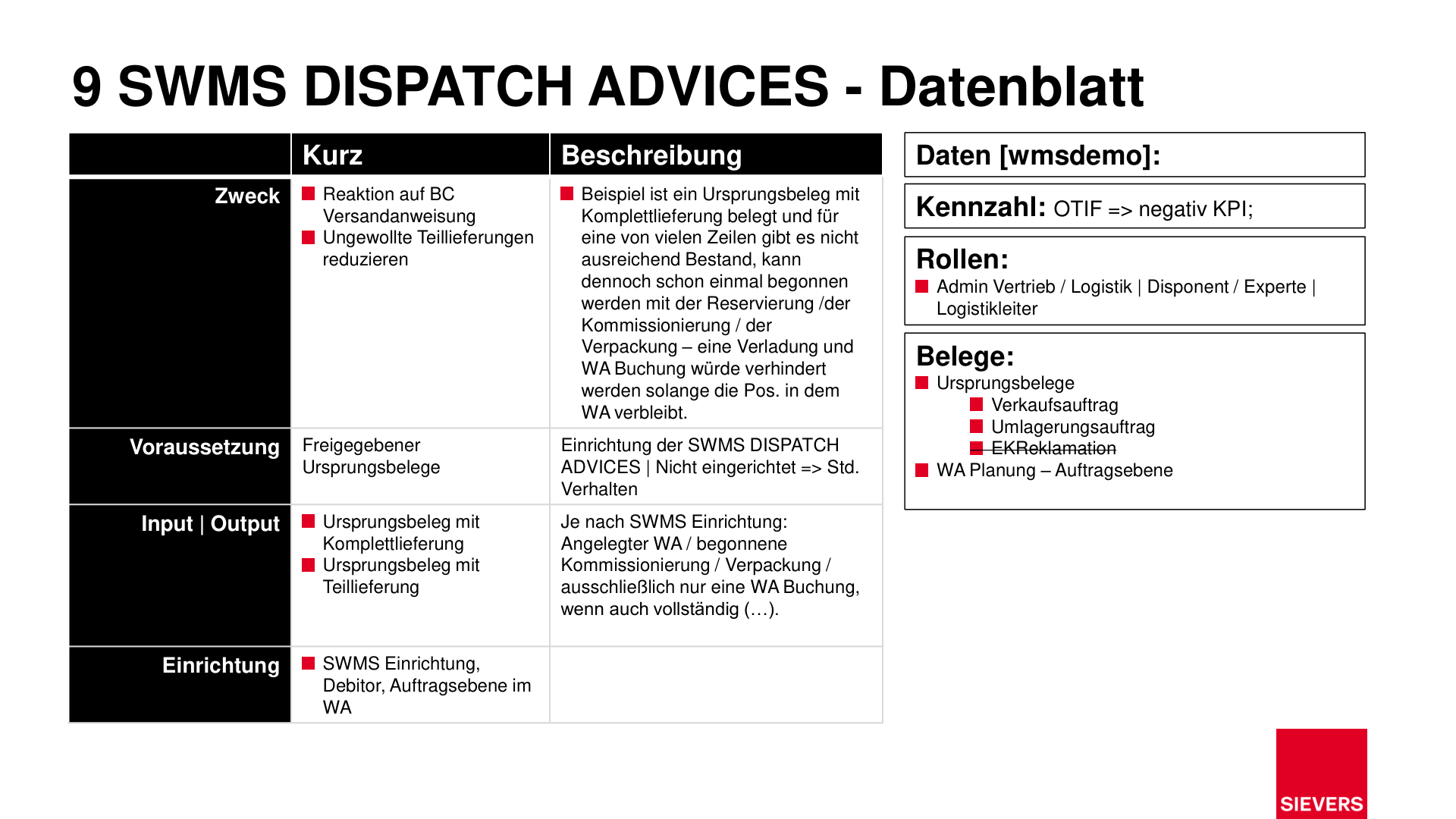
Shipping advice rules control whether and when a warehouse shipment is released for loading and posting. They prevent unwanted partial deliveries by blocking the warehouse shipment posting until all lines of an order have been fully processed.
Purpose
- Reduce unwanted partial deliveries
- Block loading and warehouse shipment posting while lines are still open
Description
A source document with a complete delivery requirement can be started even when some lines have insufficient stock. Reservation, picking, and packaging are still possible. However, loading and warehouse shipment posting are blocked until all lines are fulfilled.
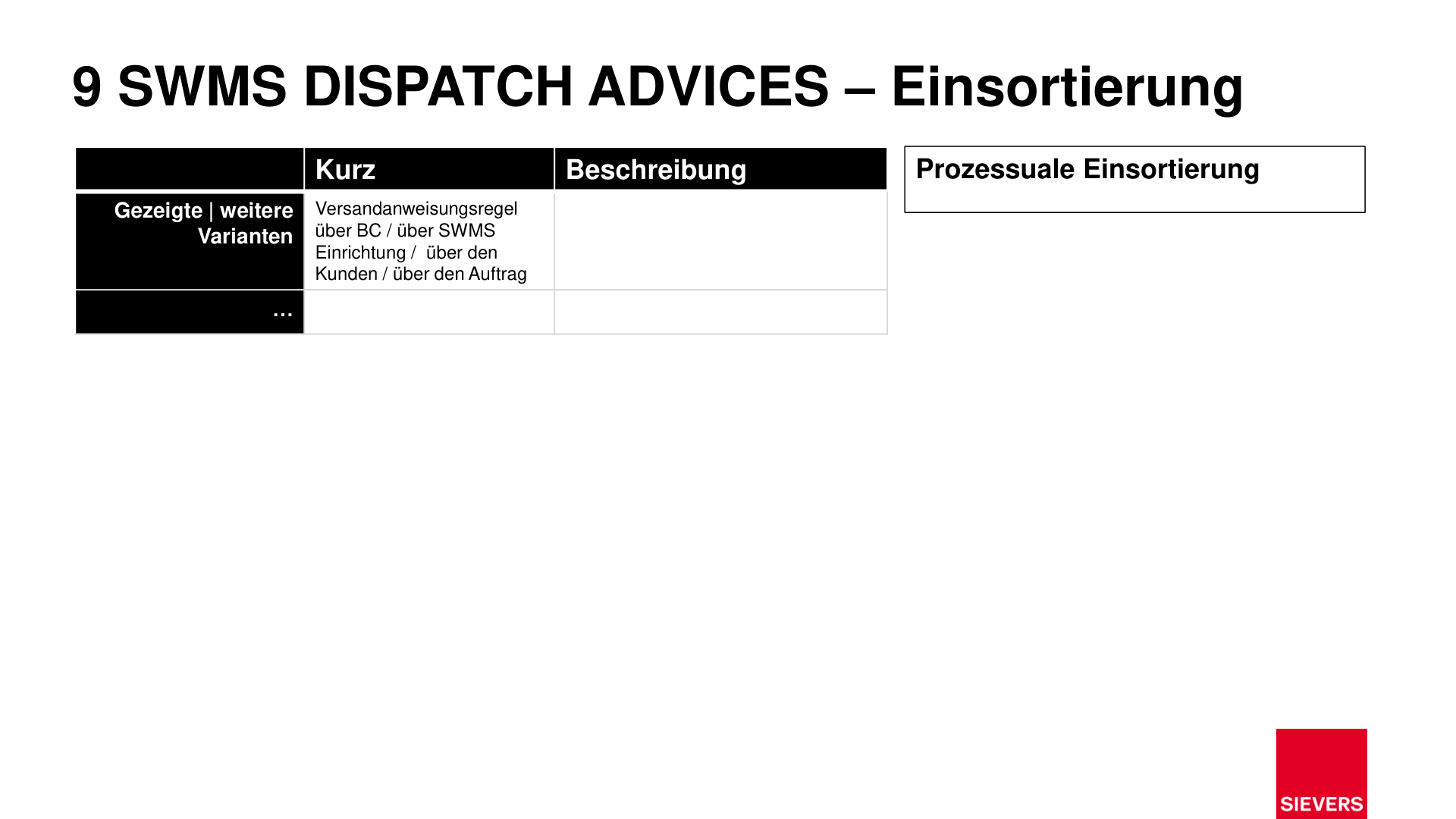
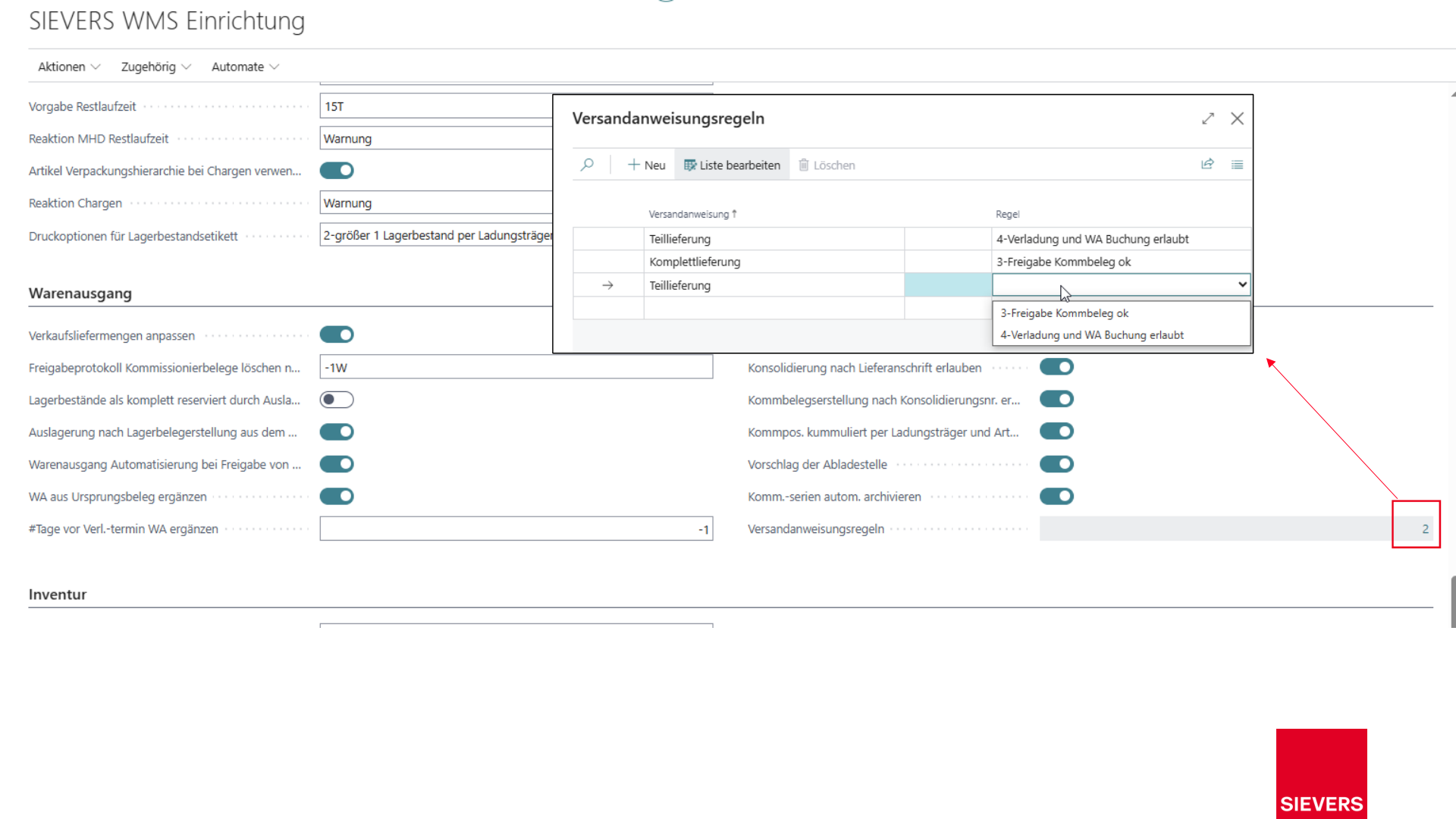
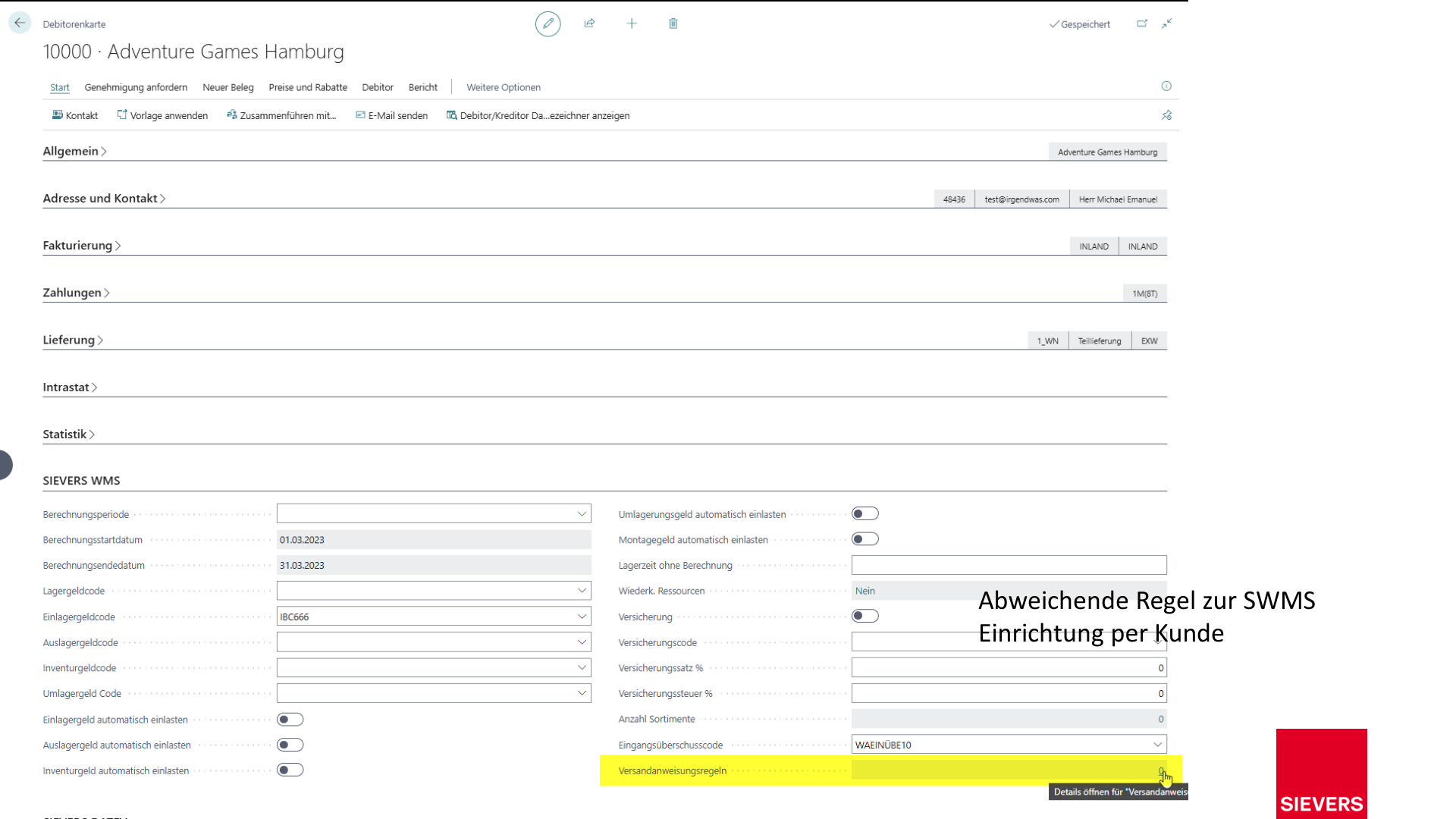
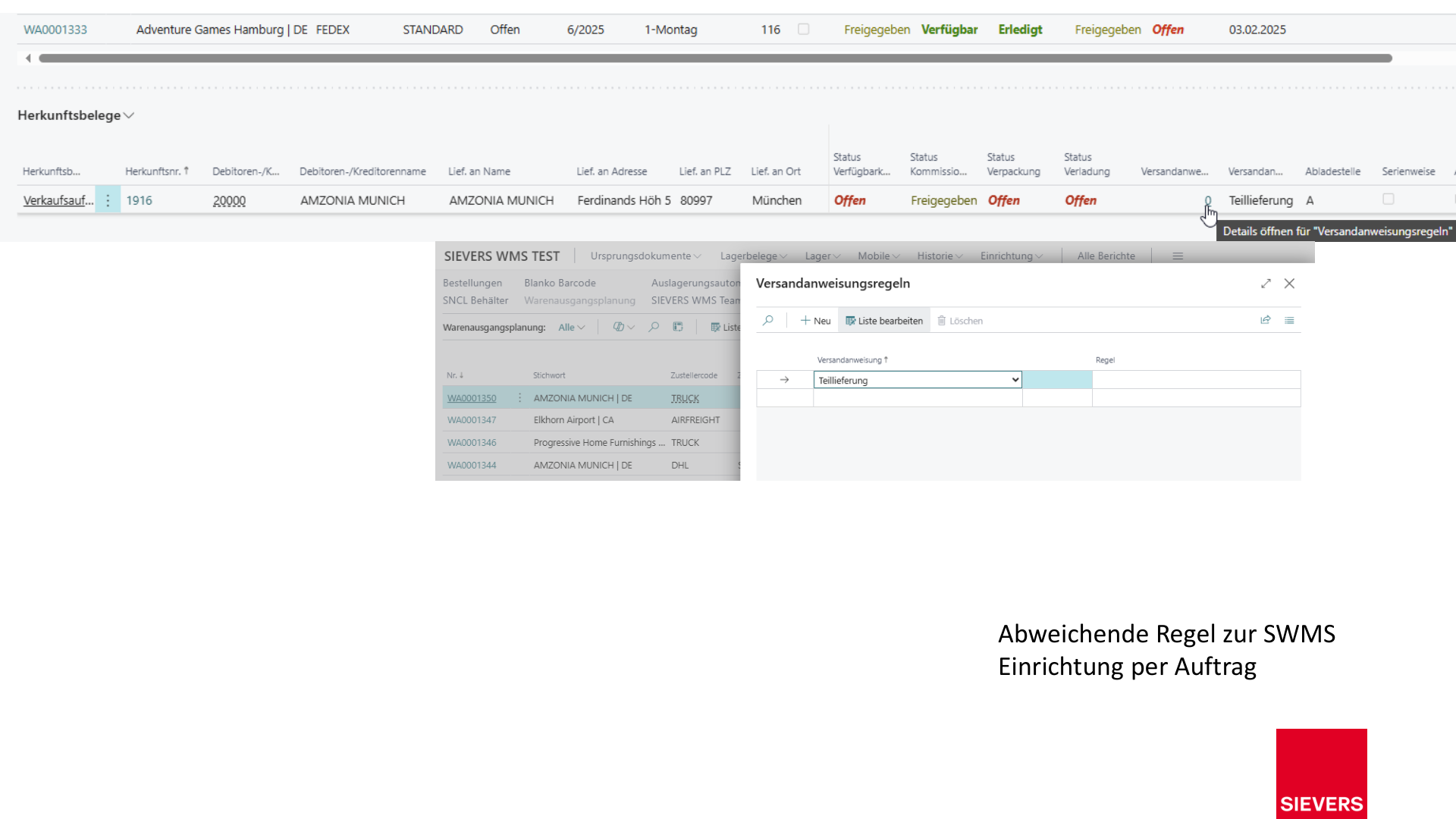
The control is configured via SWMS Shipping Advice Rules, which can be set at three levels:
| Level | Description |
|---|---|
| SWMS Setup | Global default rule for all source documents |
| Customer | Overriding rule per customer |
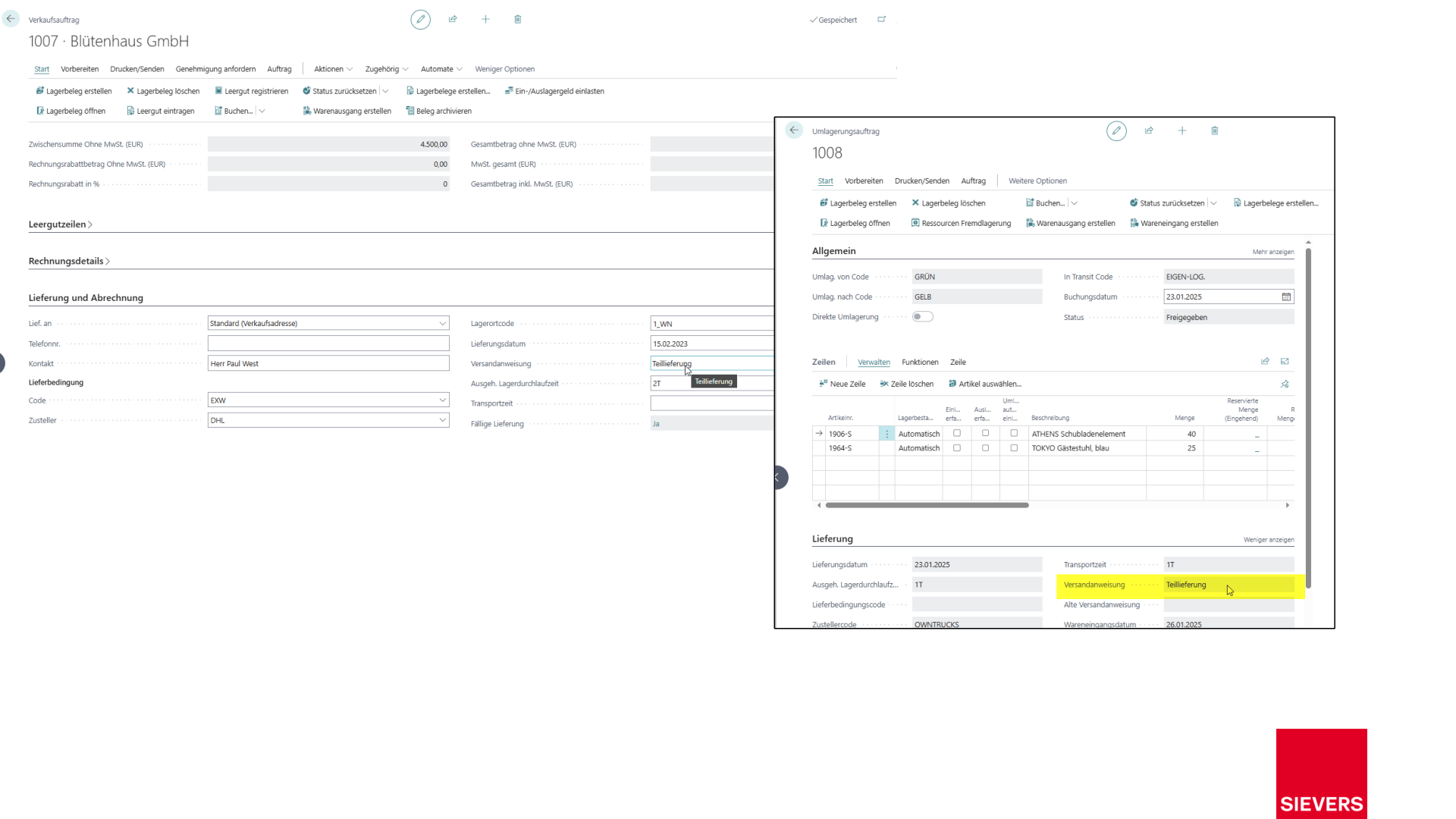
| Order level in WS | Exception per individual order |
Prerequisites
- Released source document
- SWMS Shipping Advice Rules configured (or default behavior in use)
Setup
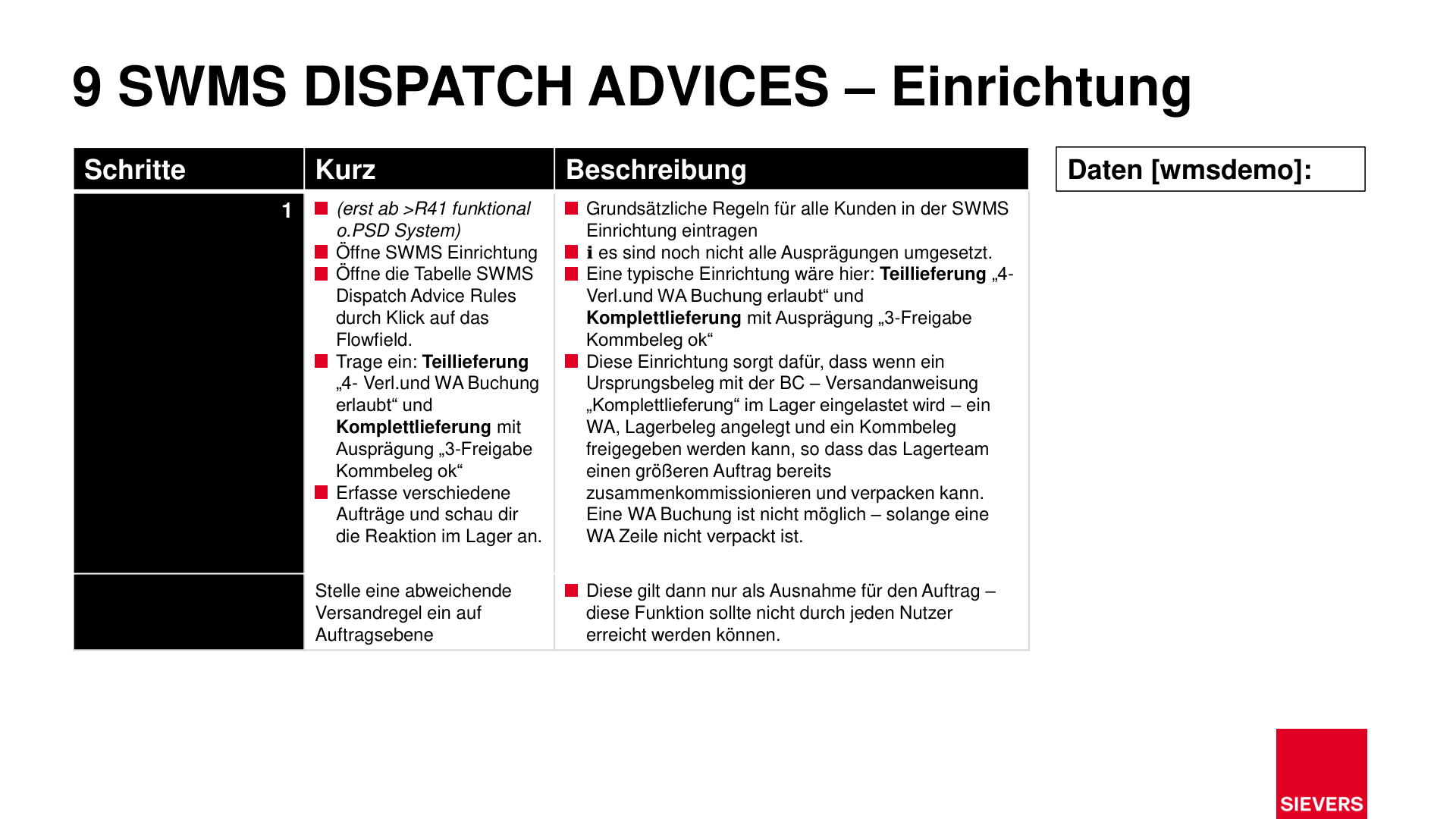
- Open the SWMS Setup and navigate to the SWMS Shipping Advice Rules table.
- Enter the desired rules:
- Partial delivery: e.g.
4 - Loading and WS Posting allowed - Complete delivery: e.g.
3 - Picking Document Release allowed
- Partial delivery: e.g.
- Verify the behavior by creating various orders in the warehouse.
- If needed, set an overriding shipping advice rule at the order level.
Hinweis
By default, all source documents can be processed immediately. The rule can be used as an exception for specific orders and should not be accessible to all users.
Slides