Order Type
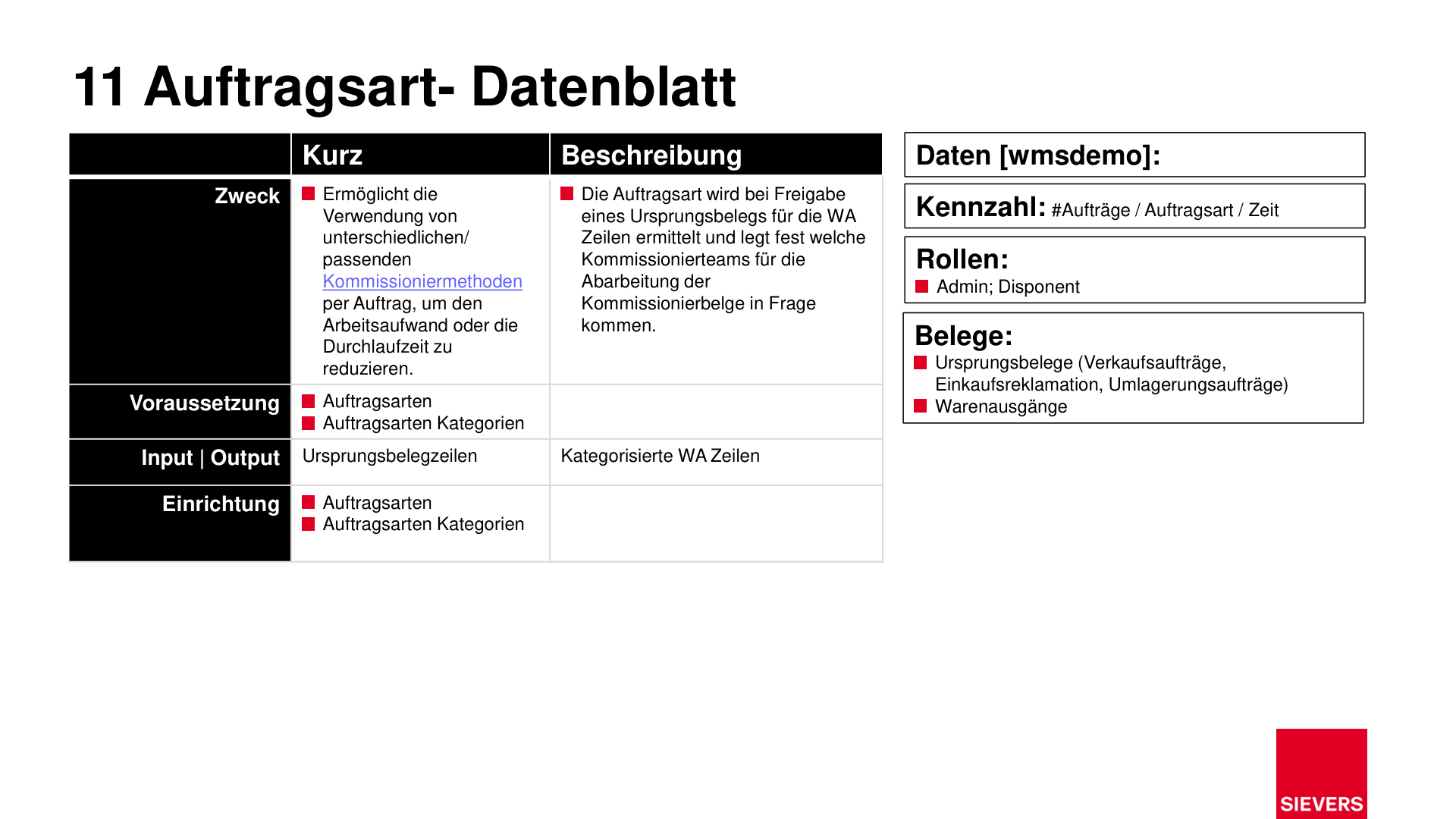
Order types categorize source documents (sales orders, transfer orders, purchase return orders) at the time they are released for the warehouse shipment. They determine which picking teams and which picking method are used for processing.
For setup details, see Order Types and Order Type Categories.
Purpose
- Automatically assign source documents to the appropriate picking method
- Reduce manual effort and minimize throughput time
Description
The order type is determined when a source document is released for the warehouse shipment lines. It controls which picking teams are eligible and which method is applied. Order type categorization ensures structured and consistent processing of warehouse shipments.
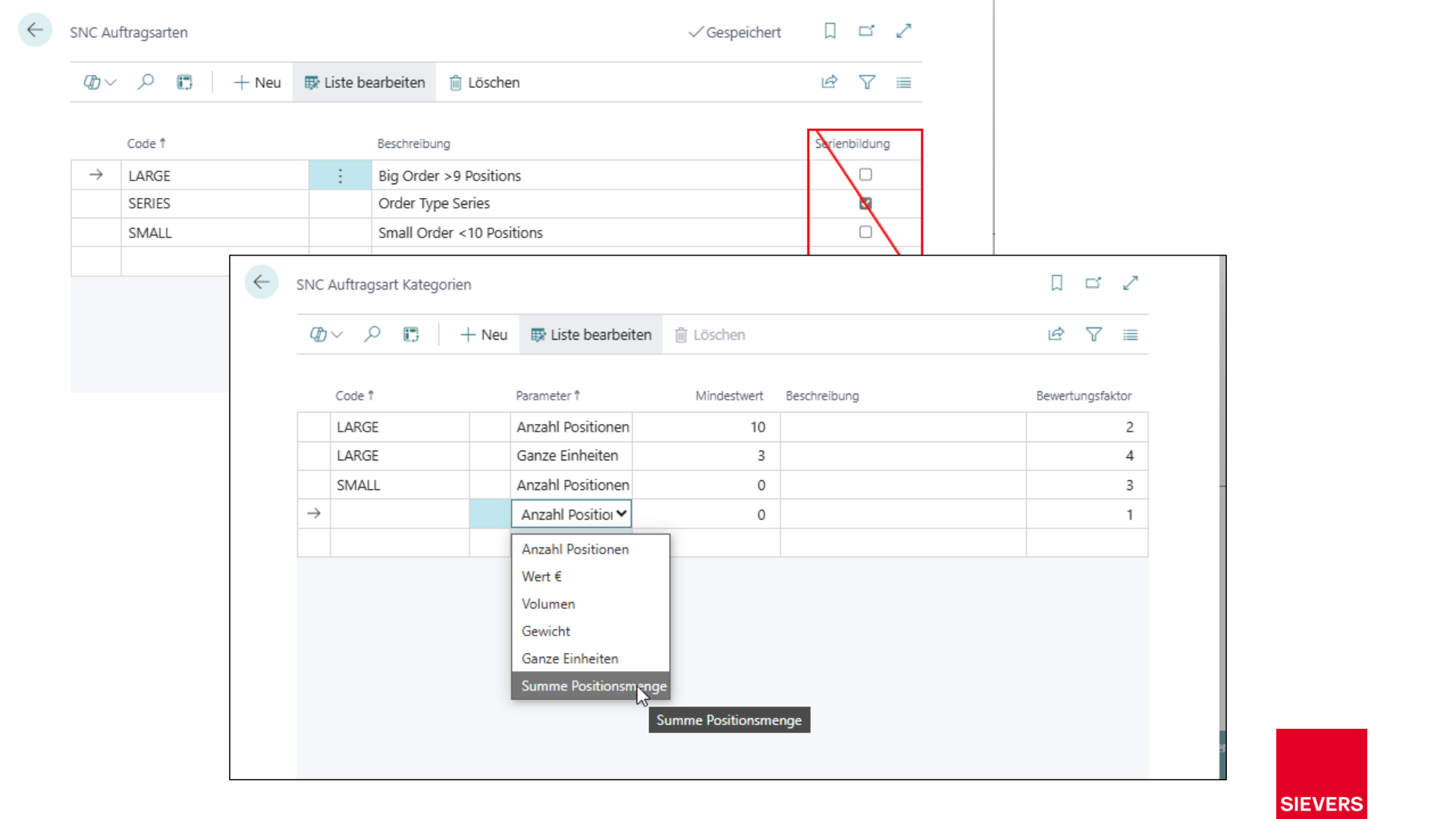
Order types are refined through order type categories. Each category defines parameters (e.g. volume, weight, whole units) that evaluate whether an order matches a given category. When multiple categories match, scoring factors determine which takes precedence.
Prerequisites
- Order types defined
- Order type categories with parameters maintained
Operation
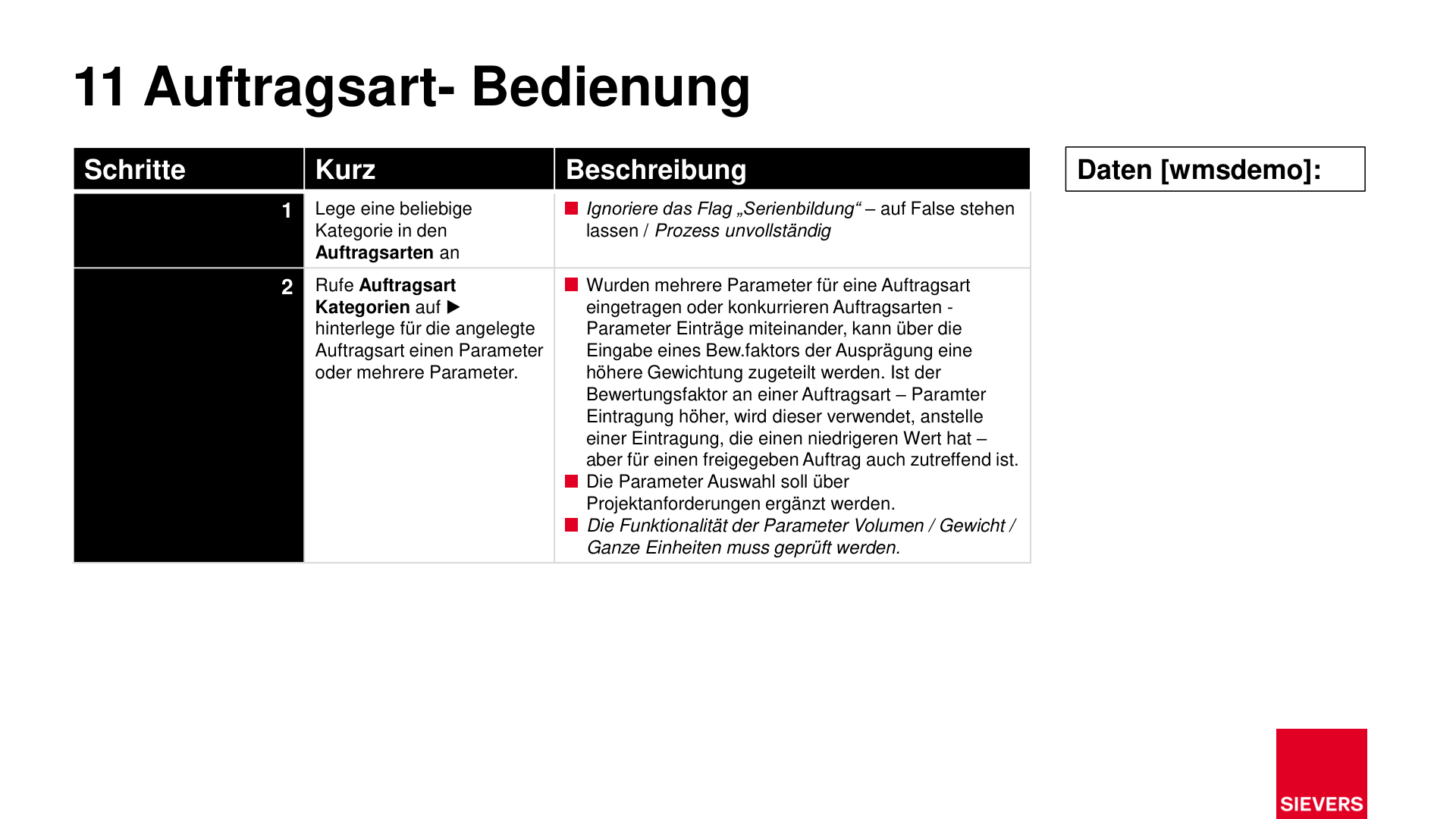
1. Create an order type
Create an order type and assign it a category. For setup details, see Order Types.
2. Configure order type categories
Define one or more parameters for each order type category. If multiple parameters exist, scoring factors can prioritize them. Higher-scoring parameters take precedence when multiple order types compete.
3. Validate parameters
Verify that the parameters for volume, weight, and whole units function correctly. Project-specific adjustments to the parameters are supported.
Roles
- Admin, dispatcher
Documents
- Source documents: sales orders, purchase return orders, transfer orders
- Warehouse shipments
Slides