Use Filters to Get Source Documents
This function can be used to create new warehouse shipment or receipts. To do this, the filter is filled so that only the desired orders apply to it. In this way, all source documents relevant to the warehouse shipment can be assigned quickly and easily. This filter also works for Inbound Stock Post and Outbound Stock Post documents for outside storage.
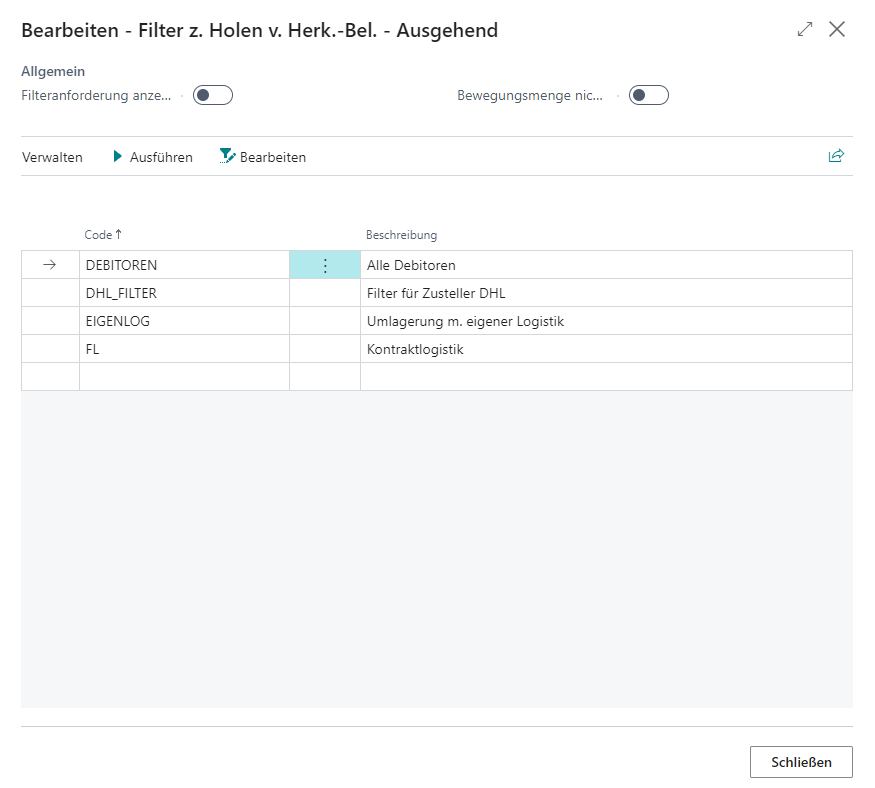
Show filter request: Specifies whether the "Filter to access origin documents" window is shown when you select Use filter to access origin documents in a warehouse shipment or warehouse receipt.
Do not fill Qty. to handle: Specifies that warehouse quantities are assigned when you receive outgoing origin document lines for warehouse shipment.
Code:** Code of the filter. You can define new filters via Edit
Description:** Description of the filter
You have the following filter options:
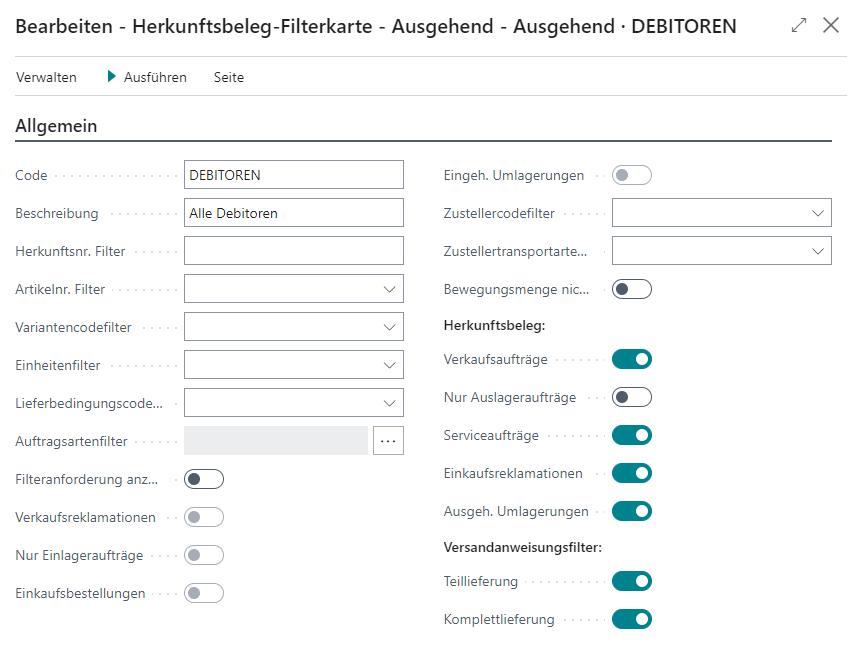
Source no.
Item no
Variant Code
Units of measure
Shipment Methods
Order types
Show filter request
Include sales return orders
Inbound Stock Post orders only
Include purchase orders
Include stock in Include transfers
Shipping Agent Code
Shipping Agent Services
Do not fill Qty. to handle
Source documents:
- Sales orders
- Outbound Stock Post orders only
- Service orders
- Purchase Return Orders
- Outbound Transfers
Shipping advice filter
- Partial delivery
- Complete delivery
Sale to
- Sales to customer no. Filter
Purchase
- Buy-from Vendor No. Filter
Transfer
- In Transit Code
- Transfer from
- Transfer to
Service
- Customer no.