Weights and Measures
The Weights and Measures screen is available in almost all MDE areas via the menu (F1). It allows you to view and edit the inventory measure code, dimensions and weight of a load carrier.
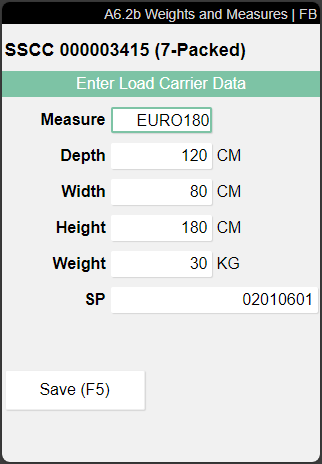
When the screen is opened for several load carriers, their number is shown in the heading. Only values that are identical for all load carriers are prefilled. Changes to shared values are saved for all selected load carriers.
- Measure: Inventory Measure Code. If you select an inventory measure here, the dimensions and weight will be adjusted accordingly. The weight is calculated according to the formula selected in the setup field Determination Container Weight. You can find the field in the SIEVERS WMS Setup in the container section.
- Depth
- Width
- Height
- Weight
- SP: Storage Place
- Scale status: If a scale is assigned to the team or FCV, an icon displays the scale status in red or green. If no scale is assigned, no icon is displayed.