Additional Notes
Standard Item Identification (BT-157)
SIEVERS E-Rechnung determines the standard item identification centrally for item lines and uses it consistently in the UBL/XRechnung and CII/ZUGFeRD export formats. The search order is configured in E-Invoice Setup using Standard Item Identification.
- With 1. GTIN - 2. Item Reference (EAN),
Item.GTINwith scheme ID0160is checked first. - With 1. Item Reference (EAN) - 2. GTIN, an
Item ReferencewithReference Type = Bar Codeand scheme ID0088is checked first. - If the first source does not provide an identifier, the second source is used. If no suitable identifier is found, BT-157 remains empty.
The selected identifier is stored in the GTIN field of SNCX XRechnung Line. The associated scheme ID is stored in GTIN Scheme ID and output as the schemeID of BT-157. Both values are processed together and can be adjusted or overwritten through OnBeforeInsertXRechnungLine. The event is provided by the matching export codeunit for sales, purchase, and service documents and their credit memos. For more information and an example, see Events Export.
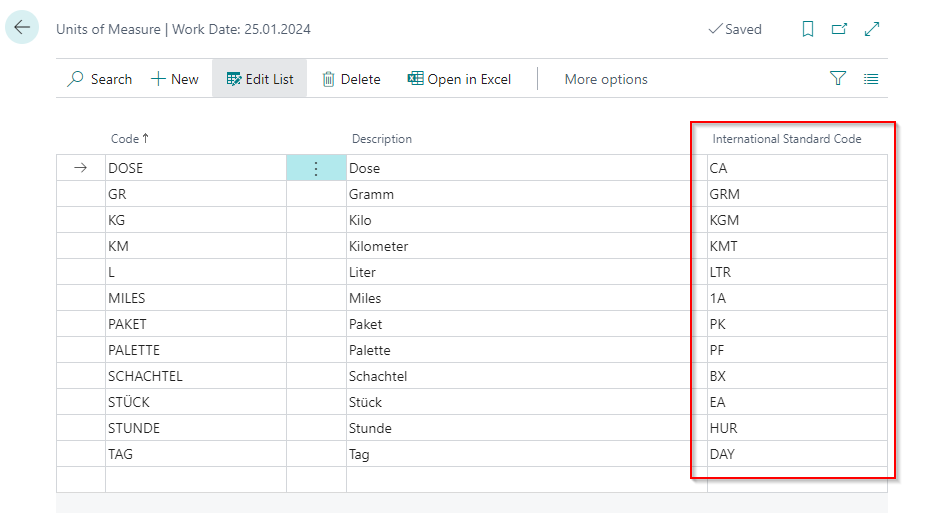
International Standard Code
Please make sure that all units of measure you use in e-invoice have the International Standard Code field maintained. Use the UNECERec20 list for this purpose.
Specifying a VAT Category Code
If you specify a code in the VAT Category Code (BT-118) that implies VAT exemption, you must also specify a VAT Exemption Reason Text (BT-120). In Business Central, the VAT Clause Code field is used for this purpose. If the field is not filled, an error will occur in the e-invoice validation check.
Payment Terms (BT-20) and Business Rule BR-DE-18
Business Rule BR-DE-18 requires that payment terms (BT-20) are transmitted in a defined format when cash discount information is available. The required format is:
#SKONTO#TAGE=14#PROZENT=2.25#
Hinweis
The keywords SKONTO, TAGE, and PROZENT are part of the XRechnung standard specification and must be used in German regardless of the document language.
The E-Rechnung extension automatically detects whether a payment term contains a payment terms formula (with days) and a cash discount percentage, and generates the correct format from this. If this information is not available, the plain description of the payment term is transmitted unchanged – in this case, the generated file may violate BR-DE-18 and be flagged as non-valid.
Hinweis
Make sure that your payment terms in Business Central have a payment terms formula (field Calculation Formula) and a cash discount percentage (field Discount %) maintained, so that BT-20 is formatted correctly automatically.
During import, field BT-20 is read for informational purposes only and not processed further, as payment terms on the buyer side are determined by vendor master data.
E-Rechnung Periods in Sales and Service
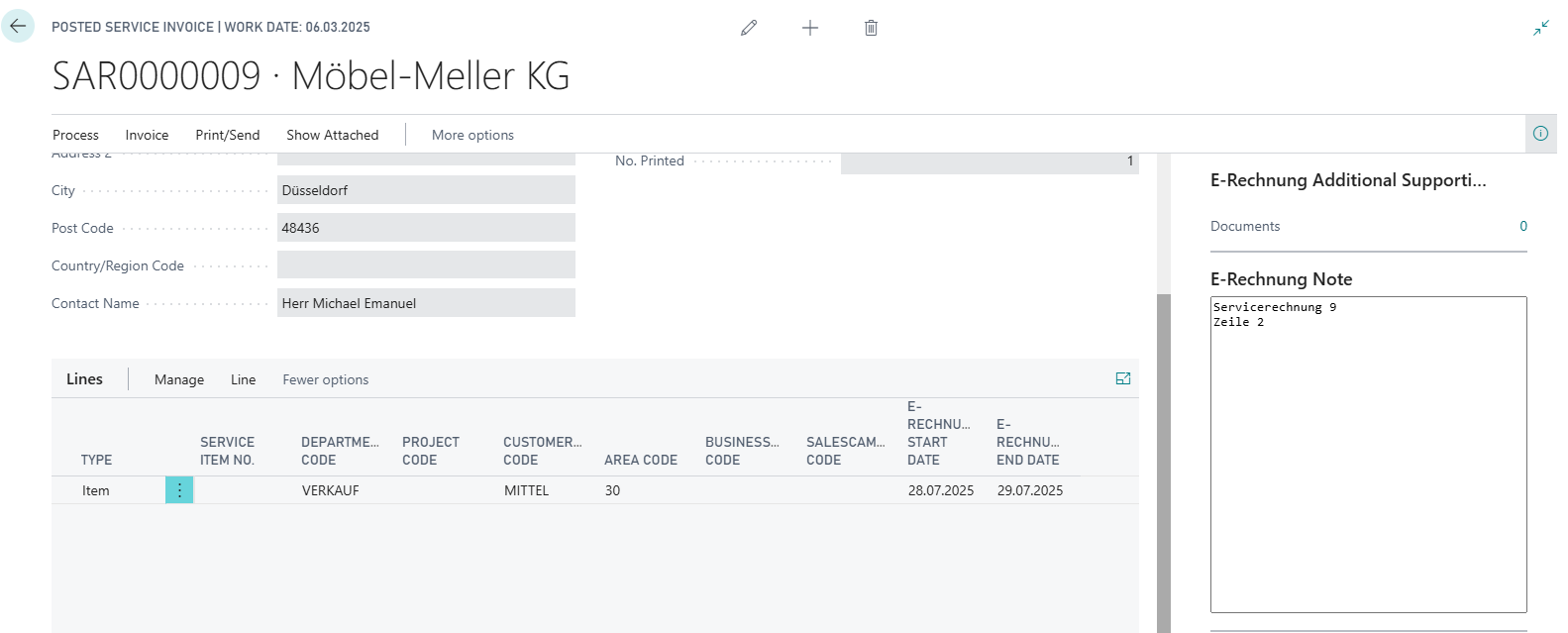
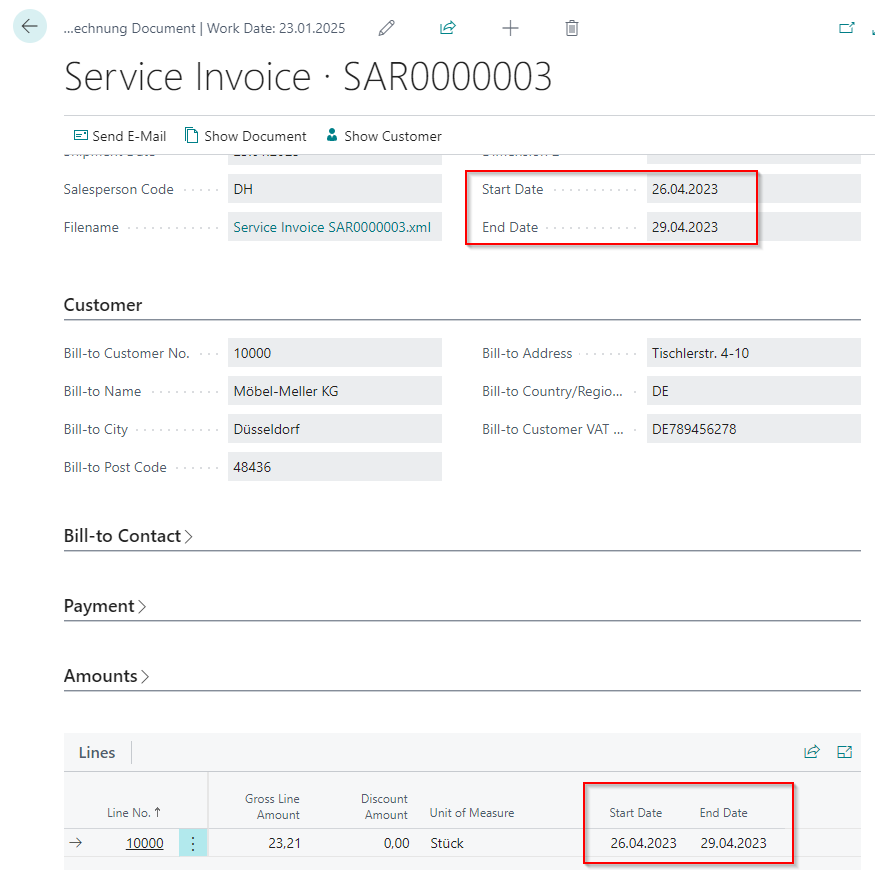
In service orders, service invoices and service credit memos, as well as in the sales documents of the same name, an E-Rechnung start and end date can be added at line item level.
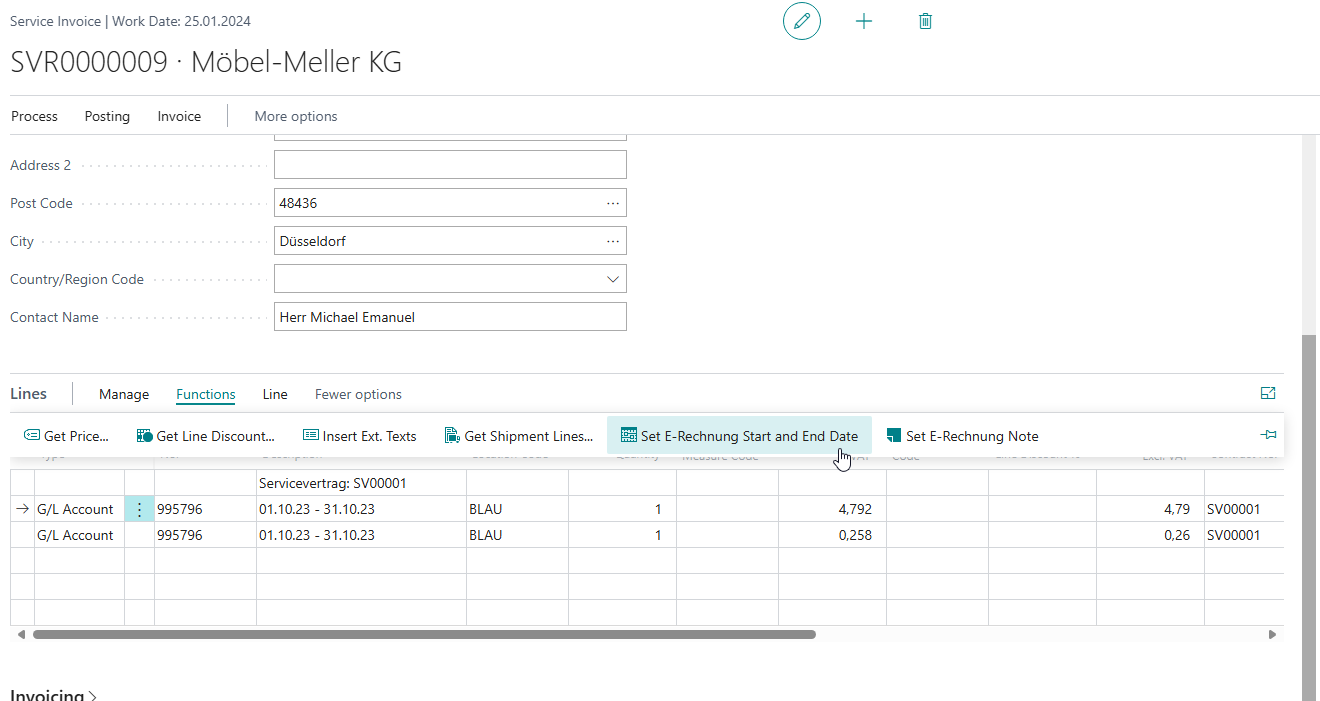
This data is also adopted in posted sales and service documents and the E-Rechnung document.